

Working from home takes a real toll on your body—especially your neck, shoulders, and forearms.
Most people start their day sitting upright, typing normally. But as hours pass, posture slowly collapses. You lean forward. Your neck bends down. Your laptop screen ends up far below eye level.
That screen position is one of the biggest ergonomic problems in home offices.When your laptop sits flat on a desk, the camera points up at your chin, your neck bends forward, and your shoulders take the load.

Research from Northeastern University explains this clearly: for every inch your head moves forward, your neck and shoulders experience roughly four extra pounds of strain. Over a full workday, that’s like carrying a heavy school bag hanging from your neck.
This is why so many people end the day with stiffness, headaches, and sore shoulders.
The ideal long‑term fix is movement—standing up regularly, taking short walks, and not sitting for hours at a stretch. But there’s also a practical desk‑level solution that makes an immediate difference: a laptop stand.
A good laptop stand raises your screen closer to eye level, reduces neck flexion, and helps you sit upright instead of hunching forward.
In this guide, I’ll walk through four laptop stands I’ve personally tested for work‑from‑home setups. They’re grouped by design, portability, and price, so you can choose based on how and where you work.
#1: STRIFF Adjustable Laptop Table Top Stand
The STRIFF Adjustable Laptop Stand is a wedge‑style stand that sits firmly on your desk. At the time of writing, it’s priced under ₹300, making it one of the most affordable ergonomic upgrades you can buy.
It’s made from hard ABS plastic and weighs around 771 grams, yet it can support up to 25 kg. The stand folds flat, so you can slide it into a laptop bag when needed. Rubber grips on the top hold laptops securely, and there’s no wobble during normal typing.
The stand offers seven adjustment grooves at the back while the front remains fixed. This gives you height options ranging from about 2.7 inches to 6.7 inches, translating to incline angles between roughly 15° and 60°.
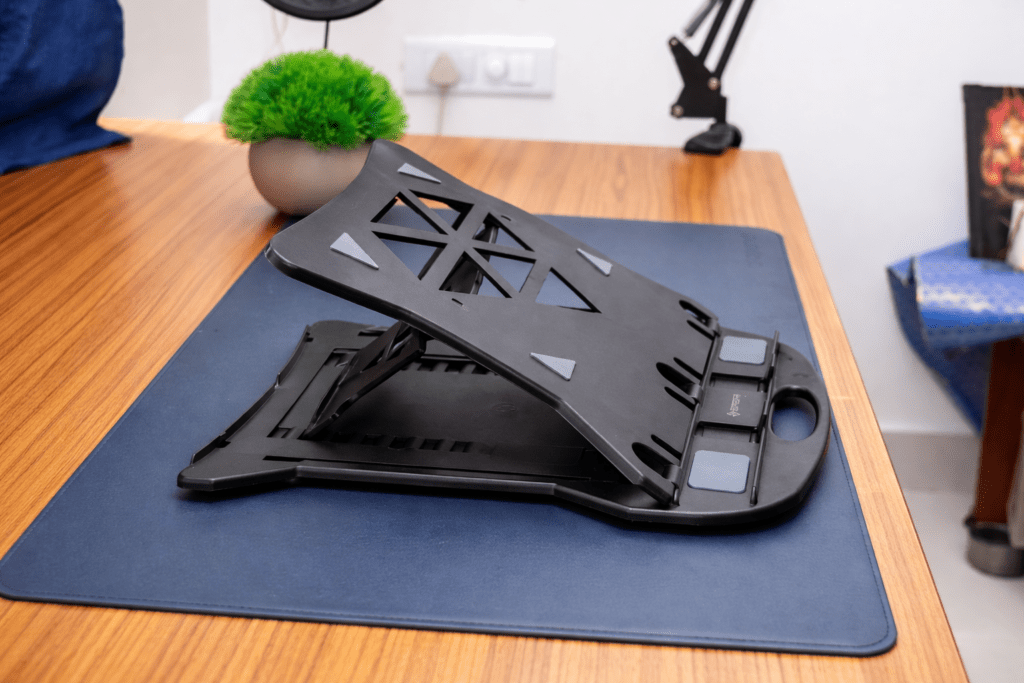
In practical use, the mid‑range settings—around 30° to 35°—work best for typing and viewing. Beyond that, the angle becomes too steep unless you’re using an external keyboard.
There’s also a built‑in phone holder slot. If you record videos or follow scripts while working, this keeps your phone at eye level instead of flat on the desk.
The main downside is desk space. If you use an external keyboard, you’ll need to push the stand back to make room, which also pushes the screen farther away. For users with weaker eyesight, that can be uncomfortable.
Still, for the price, this is a solid, no‑nonsense plastic stand that gets the basics right.
Portronics My Buddy K Portable Laptop Stand
The Portronics My Buddy K is a lightweight aluminum stand designed for portability. I’ve been using this one for over five years, including with heavier 15‑inch laptops weighing around 2.5 kg.
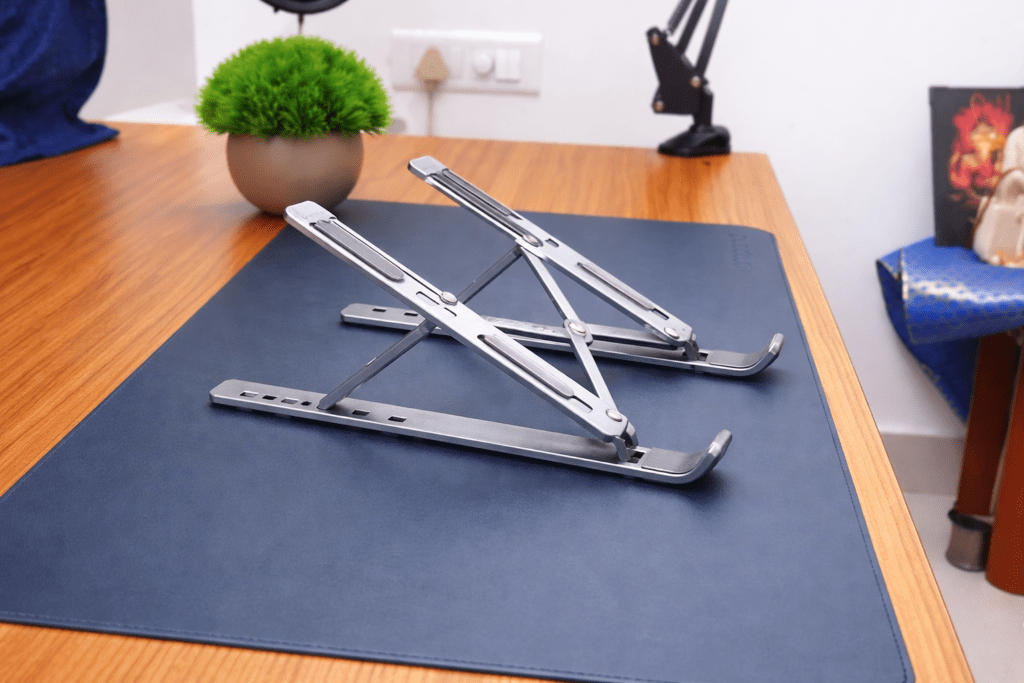
It weighs under 260 grams—about three times lighter than many plastic stands—and collapses down small enough to fit easily into a backpack. Despite its size, it feels well‑finished, with smooth aluminum edges and a premium look.
Long silicone pads on the top prevent the laptop from sliding, while the base grips well on wood, glass, or metal desks.
The stand supports six height levels using a simple slot mechanism. The front hinge stays fixed, and the rear height adjusts from about 5.5 cm to 15.5 cm. This creates incline angles between roughly 10° and 40°.
For everyday work, the middle levels—around 20° to 25°—strike the best balance between viewing comfort and typing stability.
If you want a budget‑friendly, ultra‑portable aluminum stand that’s proven to last, this is an easy recommendation.
#3: Lamicall Fixed Aluminum Laptop Riser Stand
The Lamicall Aluminum Laptop Riser Stand has been my primary desk setup for more than two years. It’s a fixed‑height stand, meaning there’s no angle adjustment—but what you gain is stability.
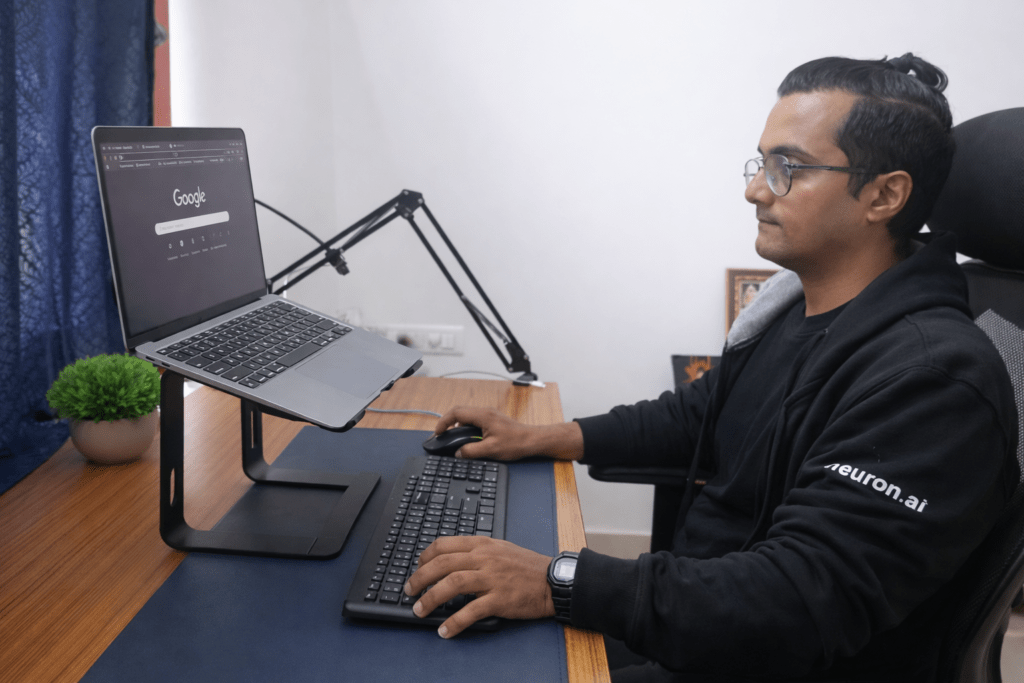
The stand weighs around 850 grams and supports laptops from 10 to 15.6 inches. I’ve tested it with MacBooks, Dell Inspirons, and other heavier laptops without any wobble or flex.
It’s made from thick, high‑quality aluminum and can be disassembled into three parts without tools, making it easier to carry than it looks.
The fixed height raises your laptop by roughly six inches, bringing the screen much closer to eye level. Over long editing or writing sessions, this makes a noticeable difference to neck and shoulder comfort.
There’s usable space underneath to store a keyboard and mouse, helping keep the desk clean. Two cable‑management holes guide charging cables neatly, and the open‑back design improves airflow for cooling.
Silicone pads on both the arms and the base prevent slipping and protect your laptop from scratches.
The main limitation is the lack of adjustability. If you prefer changing angles throughout the day, this won’t do that. But for under ₹1500, it’s one of the most stable fixed stands available.
PLIXIO Adjustable Laptop Stand (360‑Degree Rotation)
The PLIXIO Adjustable Laptop Stand is the most premium option in this list. It features a 360‑degree rotating base and is priced under ₹2500.
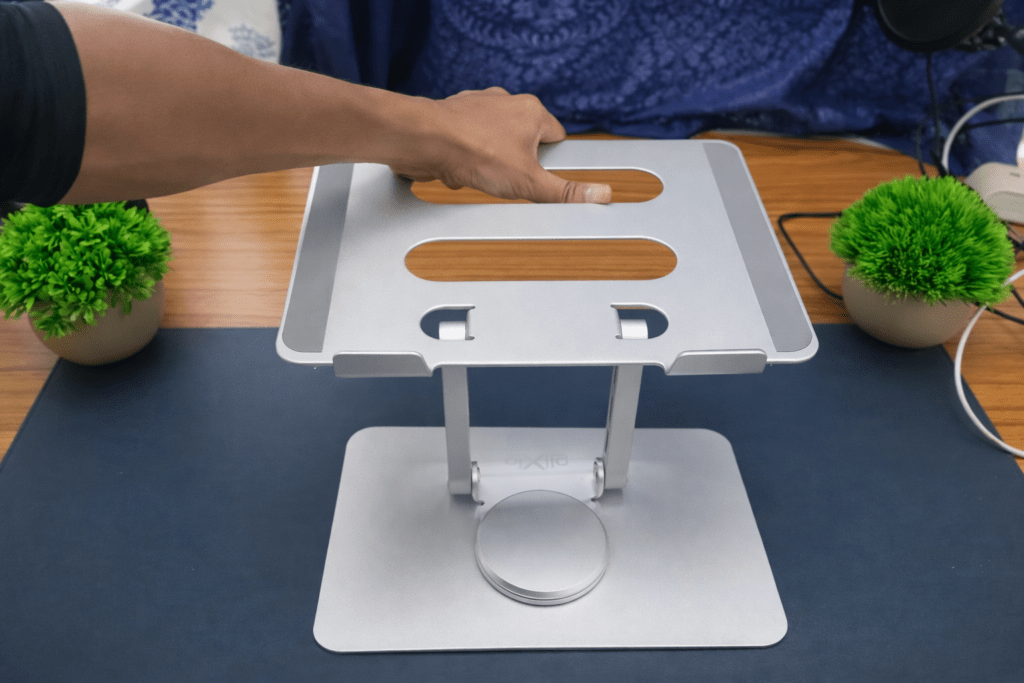
Built from carbon steel, it weighs about 1.6 kg and feels extremely solid. The rotation mechanism is smooth and controlled, making it easy to reposition your screen during calls or collaborative work.
It supports laptops and tablets from 9 to 16 inches. The hinges handle weight confidently—even at steep angles—with no wobble. Silicone padding on both the base and the top frame keeps devices stable during rotation.
The stand adjusts from about 1.5 inches up to 7.5 inches in height, which significantly reduces neck strain caused by looking down for long periods.
Despite its weight, it can still fit into a laptop bag, though it’s clearly designed more for durability than minimalism.
If you want maximum flexibility, rotation, and rock‑solid build quality, this is a strong choice—just be prepared for the extra weight.
Choosing the Right Laptop Stand
Here’s a quick comparison table of the 4 laptop stands we’ve talked about — rated by price and key features. Feel free to download this image and take a closer look at the one that fits your needs best.
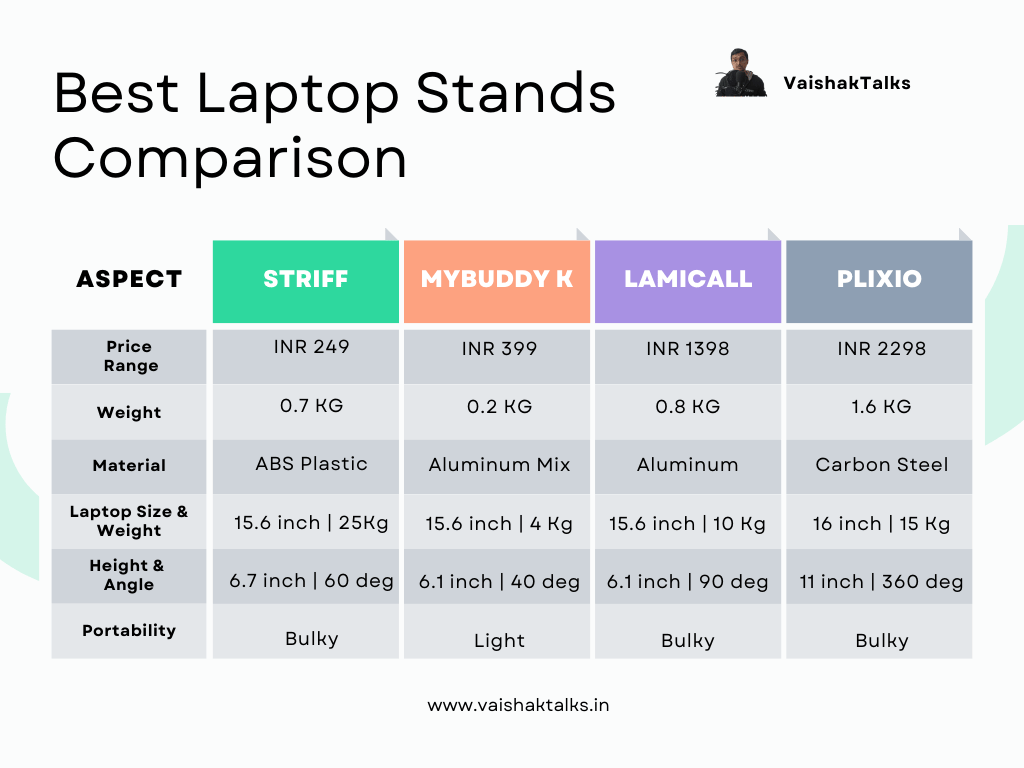
Note that most laptop stands are designed to raise your screen—not to make typing more comfortable.
Once your laptop is elevated properly, you’ll usually need an external keyboard and mouse to maintain good wrist and arm posture.
When choosing a stand, think about three things first:
• How much height adjustment you need
• Whether portability matters
• How much desk space you can spare
A stand won’t fix everything, but it’s one of the simplest ways to reduce daily strain in a work‑from‑home setup.
If you’re trying to solve a specific problem—neck pain, limited desk space, or frequent travel—that should guide your choice more than price alone.
If you’re curious, I also have a detailed guide on budget wireless keyboards and mouse combos that pair well with laptop stands.
What problem are you trying to solve with a laptop stand? That answer usually makes the decision obvious.