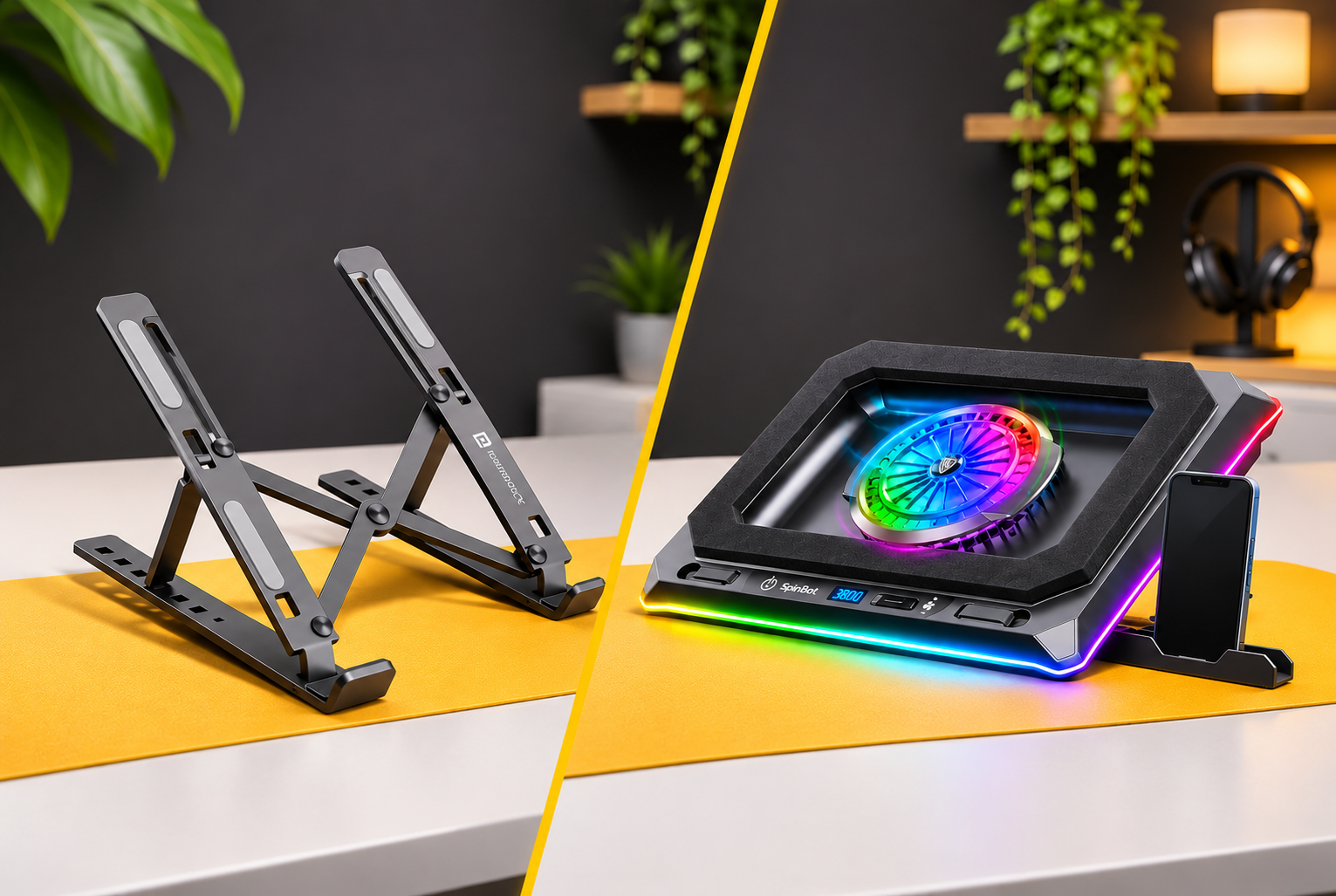
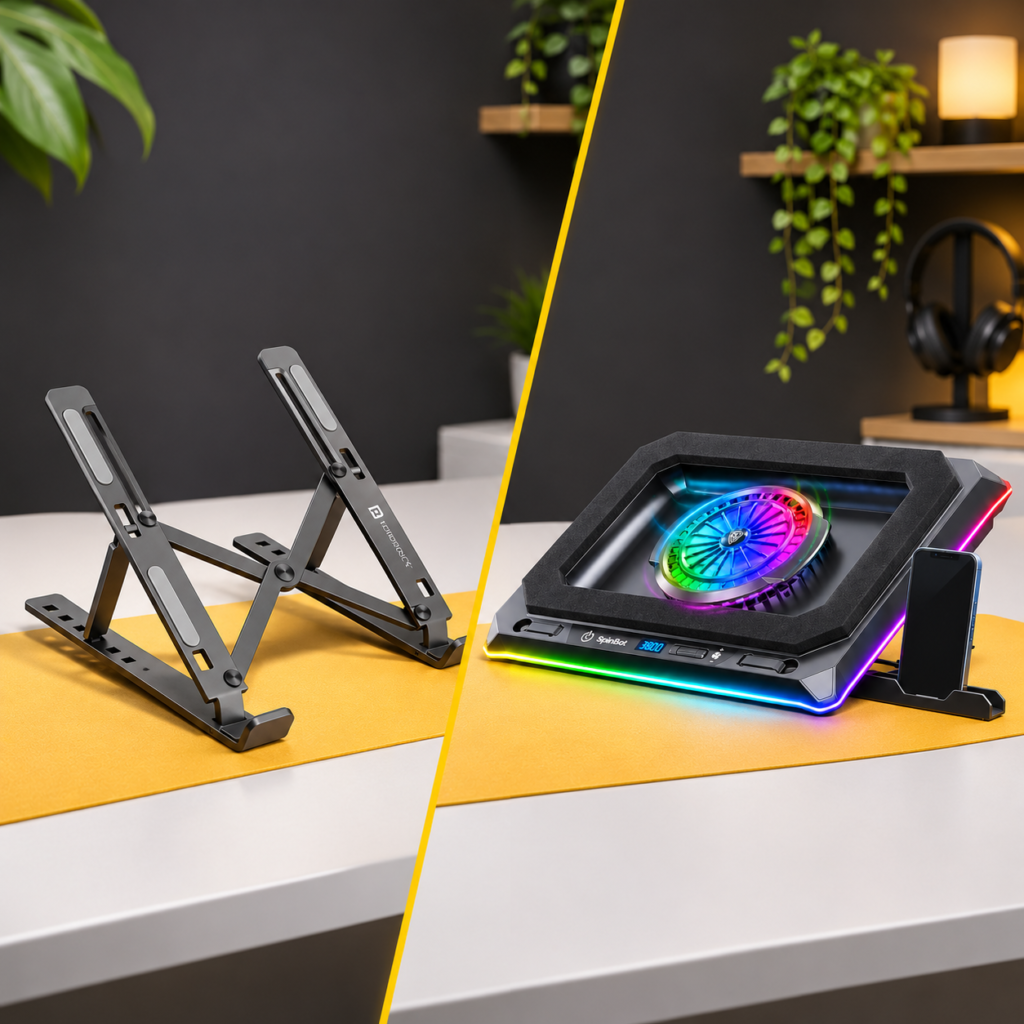
Laptop stand vs cooling pad: Which is better for your laptop?
So, you’ve recently bought an expensive gaming laptop with great specs like this one.
And it feels so great using it.
But of late a question keeps bothering you: Do gaming laptops usually get hot while playing games or rendering videos?
If hot means like steam coming out of it, definitely no!

But yes! Gaming laptops use high end CPUs and GPUs that draw power and generate heat.
However, they also have extremely high thermal resistance.
This 2014 study done by puget systems shows that Intel CPU’s give you full performance even if the laptop temperatures hit 100 degrees.
“It is unlikely that a processor would get damaged from overheating due to the multiple operational safeguards in place” – Dell CPU temperature guide
However, prolonged usage in this temperature is not good for your laptop. Ideally you should target to keep your CPU temperatures under 90 degrees, ideally between 80-85 degrees.
That’s where the laptop stand vs cooling pad debate begins. Which one should you buy, and does spending more on a cooling pad actually make a difference?
But which one is worth buying and why?
In this guide, we’ll compare laptop stands and cooling pads based on their cooling performance, ergonomics, portability and price.
I’ll also explain when a cooling pad actually makes sense and when a regular laptop stand is more than enough.
Let’s get started.
Laptop Stand vs Cooling Pad: Quick Comparison
| Feature | Laptop Stand | Cooling Pad |
| Primary purpose | Ergonomics | Additional cooling for gaming laptops |
| Cooling mechanism | Passive airflow | Active airflow |
| Built-in fans | No | Yes |
| Height adjustment | Yes | Depends on model |
| Fan noise | No fan noise | Usually Noisy |
| Power requirement | No | Usually USB-powered |
| Portability | Lightweight | Heavy & Bulky |
| Price | Cheap | Expensive |
| Best for | Office Laptops, Macbook | Gaming Laptops |
How Does a Laptop Stand Work?
Laptops usually have the vents on the bottom panels.
When you place your laptop directly on a desk, the bottom panel sits relatively close to the surface and this can restrict the air flow causing more heat.
A laptop stand simply elevates the laptop above the desk.
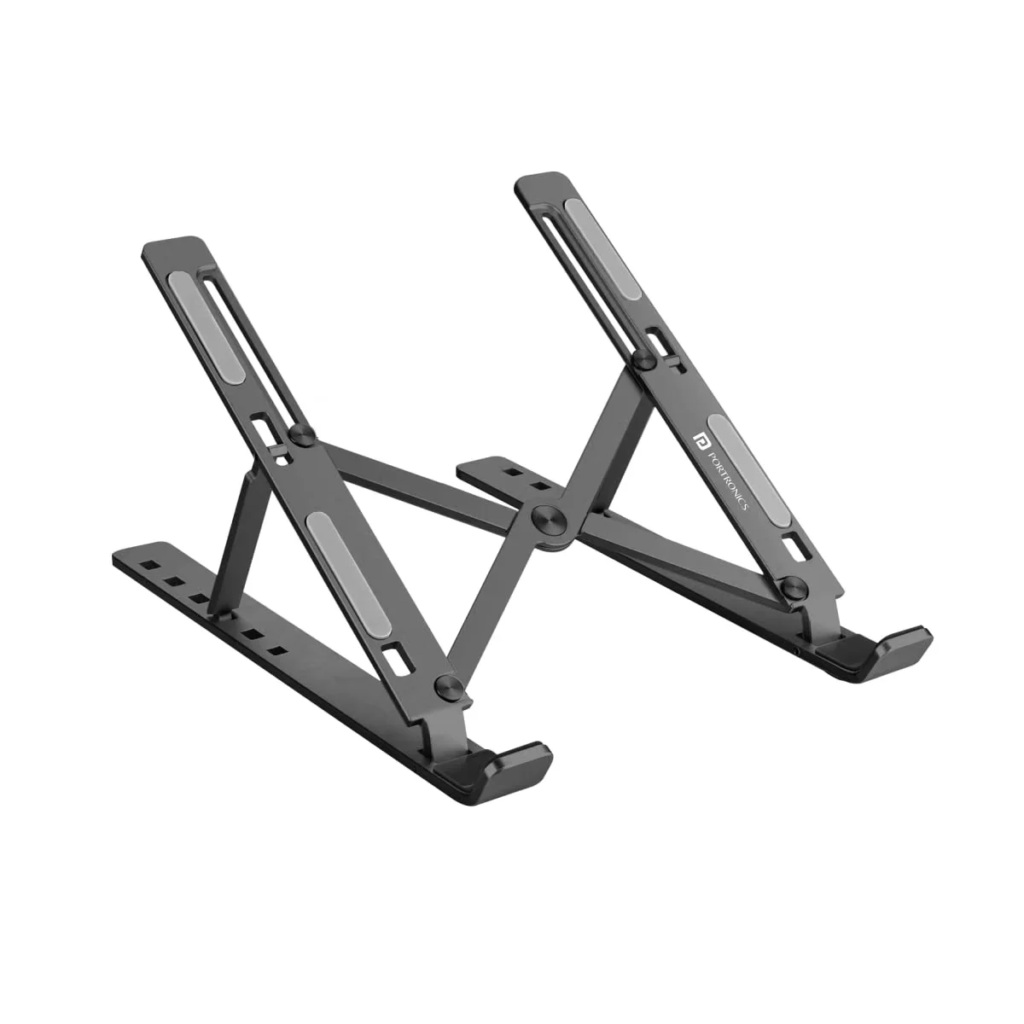
This creates additional clearance, letting hot air circulate more freely to keep your laptop cool.
Additionally laptop stands also help improve your posture and reduce neck and shoulder strain.
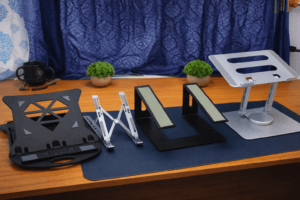
Related article: I tested the 4 laptop stands to reduce neck strain
How Does a Laptop Cooling Pad Work?
A cooling pad uses built-in fans to push additional air towards the bottom of your laptop.
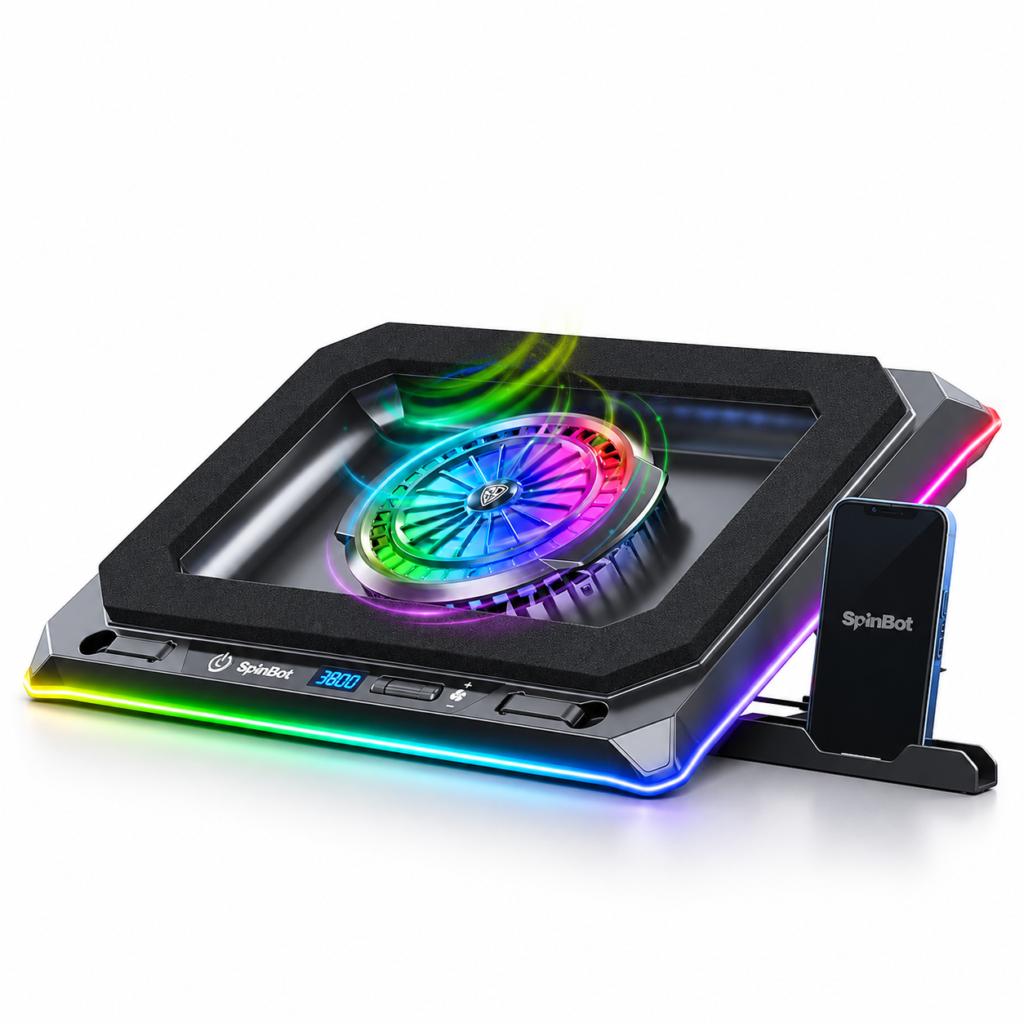
Most cooling pads have a mesh or perforated metal surface on which you place your laptop. Underneath this surface, you’ll find one or more cooling fans.
Once you connect the cooling pad to your laptop using a USB cable, the fans start spinning and circulate air towards the laptop’s underside.
This additional airflow helps your laptops internal cooling system dissipate heat more effectively.
However, note that not all cooling pads work with every laptop.
For instance, the Spinbot cooling pad above works if your laptop’s heat vents are located at the bottom.
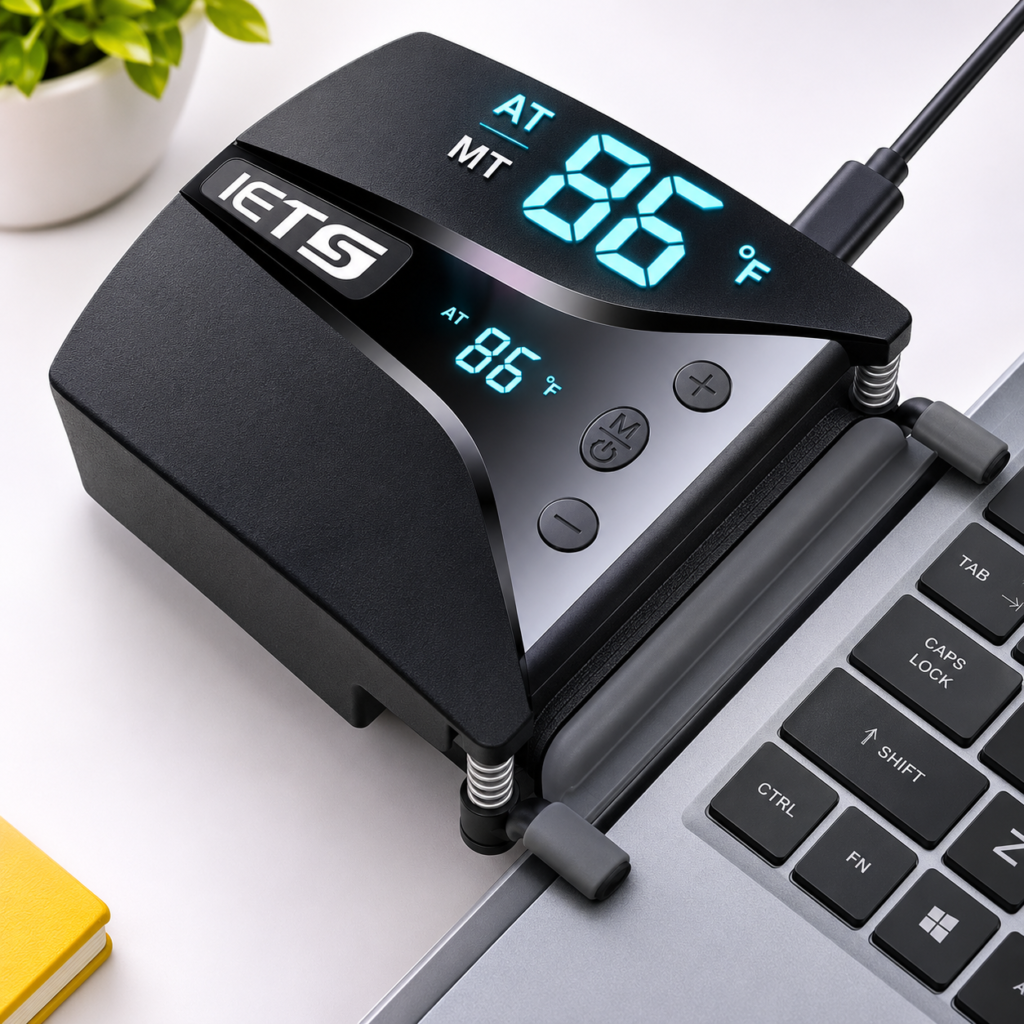
But if you’ve a Lenovo LOQ laptop, where the vents are on the sides you may need a vacuum laptop cooler that sucks heat from the sides or a foldable laptop stand.
Related article: Best Foldable Laptop Stands For Desk Under 1000
Laptop Stand vs Cooling Pad: Which Is Better for Cooling?
When comparing a laptop stand vs cooling pad, cooling performance is probably the first thing you want to consider.
Let’s look at how both accessories perform.
Does a Laptop Stand Reduce Laptop Temperature?
If your laptop has intake vents underneath its chassis, placing it on a laptop stand creates additional clearance between the vents and your desk.
This allows the internal cooling fans to draw air more freely, potentially reducing CPU and GPU temperatures.
But how much difference can a laptop stand actually make?
I found a couple of interesting comparisons worth looking at.
First, Jarrod’sTech tested 10 gaming laptops using different cooling configurations, including a metal laptop stand, cooling pads and vacuum coolers.
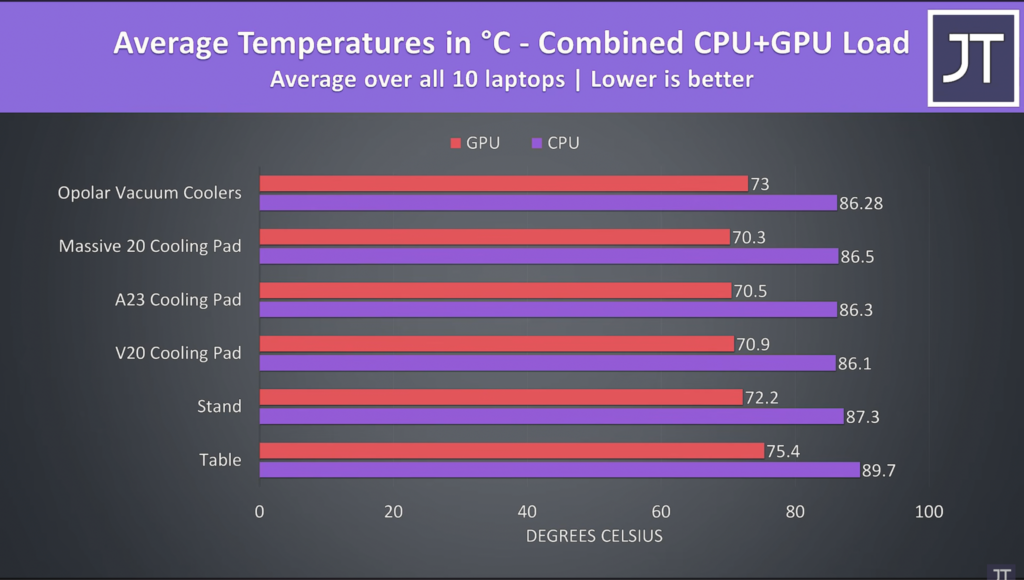
Across all 10 laptops, the average CPU temperature dropped from 89.7°C to 87.3°C when using a simple laptop stand. GPU temperatures also dropped from 75.4°C to 72.2°C.
Here’s a quick comparison:
| Without Stand | With Stand | Temperature Drop | |
| CPU Temperature | 89.7°C | 87.3°C | 2.4°C |
| GPU Temperature | 75.4°C | 72.2°C | 3.2°C |
Another test I found was this article from Havit that includes a modelled comparison of a gaming laptop under four different cooling configurations.
Here’s what their comparison shows:
HAVIT – Modelled temperature comparison
| Without Stand | With Stand | Temperature Drop | |
| CPU Temperature | 88°C | 84°C | 4°C |
| GPU Temperature | 79°C | 76°C | 3°C |
Note: HAVIT’s figures are modelled results based on a controlled 23°C scenario, not actual laboratory measurements.
Both comparisons suggest that simply elevating a laptop can improve airflow and reduce CPU and GPU temperatures.
Does a Cooling Pad Reduce Laptop Temperature?
Unlike a passive laptop stand, a cooling pad has built-in fans underneath the platform that actively push air towards the laptop’s bottom intake vents.
This additional airflow can help reduce CPU and GPU temperatures, particularly on gaming laptops that draw air from underneath their chassis.
But how much more cooling can you expect compared to a regular laptop stand?
Let’s look at the same two comparisons.
1. Jarrod’sTech – Average temperatures across 10 gaming laptops
| Without Stand | With Cooling Pad | Temperature Drop | |
| CPU Temperature | 89.7°C | 86.1°C – 86.5°C | 3.2–3.6°C |
| GPU Temperature | 75.4°C | 70.3°C – 70.9°C | 4.5–5.1°C |
2. HAVIT – Modelled temperature comparison
| Without Stand | With Cooling Pad | Temperature Drop | |
| CPU Temperature | 88°C | 81°C | 7°C |
| GPU Temperature | 79°C | 73°C | 6°C |
Compared to a laptop sitting flat on a desk, the open-air cooling pad reduces CPU temperatures by 7°C and GPU temperatures by 6°C.
So, powered cooling pads can provide additional cooling beyond what you get from simply elevating your laptop.
Also, remember that lower temperatures don’t necessarily mean a significant increase in gaming performance. The benefit is greater when your laptop is struggling with thermal throttling.
Laptop Stand vs Cooling Pad: When Is It Better to Buy?
So, should you buy a regular laptop stand or spend more on a cooling pad?
It depends on how you use your laptop.
1. Choose a laptop stand for everyday work and portability.
If you primarily use your laptop for browsing, office work, attending meetings, coding or basic photo and video editing, a regular laptop stand should be sufficient in most cases.
It elevates your laptop, improves clearance underneath and can help with airflow.
It’s also a more practical option if you travel frequently. If you already carry a heavy laptop to work every day, carrying an additional bulky cooling pad might not make much sense. A lightweight, foldable laptop stand is much easier to carry.
2. Choose a cooling pad for demanding, sustained workloads.
Now, if you regularly push your laptop’s CPU and GPU to their limits, a cooling pad might be worth considering.
For example, if you’re gaming for several hours, rendering large video projects, editing 4K footage or gaming while simultaneously streaming and running multiple applications, your laptop can generate considerable heat.
If its internal cooling system struggles to keep temperatures under control, simply elevating the laptop might not be enough.
That’s where an active cooling pad can help. Its built-in fans push additional air towards the laptop’s intake vents, potentially improving cooling and helping the CPU and GPU maintain their performance for longer.
However, make sure the cooling pad’s fan placement is compatible with your laptop’s intake vents. Otherwise, you might not see much additional benefit.
My recommendation: Start with a regular laptop stand if you primarily use your laptop for everyday work. If you regularly run demanding workloads and experience thermal throttling, consider investing in a cooling pad.
Laptop Stand vs Cooling Pad: Pros and Cons
Now that we’ve compared their cooling performance, let’s look at the advantages and disadvantages of each
Laptop Stand
Cooling Pad
Laptop Stand vs Cooling Pad: Which Is Better for Different Users?
Still confused about which one to buy? Here’s a quick recommendation based on how you use your laptop.
| Use Case | Recommendation | Why? |
|---|---|---|
| Work From Home Professionals | Laptop Stand | Improves screen positioning, viewing comfort and desk ergonomics. |
| Students | Laptop Stand | Lightweight, portable and sufficient for everyday tasks like browsing, online classes and assignments. |
| Gamers | Cooling Pad | Provides additional airflow and can help manage temperatures during extended gaming sessions. |
| Video Editors & Content Creators | Depends on Workload | A laptop stand is sufficient for basic editing. A cooling pad may help during demanding, sustained rendering workloads. |
| Frequent Travellers | Foldable Laptop Stand | Lightweight, compact and easier to carry than most cooling pads. |
Remember, these are general recommendations. If your laptop already maintains safe operating temperatures under heavy workloads, you might not need a cooling pad, even if you’re a gamer or video editor.
Best Laptop Stands and Cooling Pads to Buy in India
If you’ve decided which accessory you need, here are a few options worth considering.
Best Laptop Stands for Everyday Work
I’ve personally tested several foldable laptop stands, including budget options from Zebronics, Portronics and MegaStro.
Here are three options I’d recommend considering.
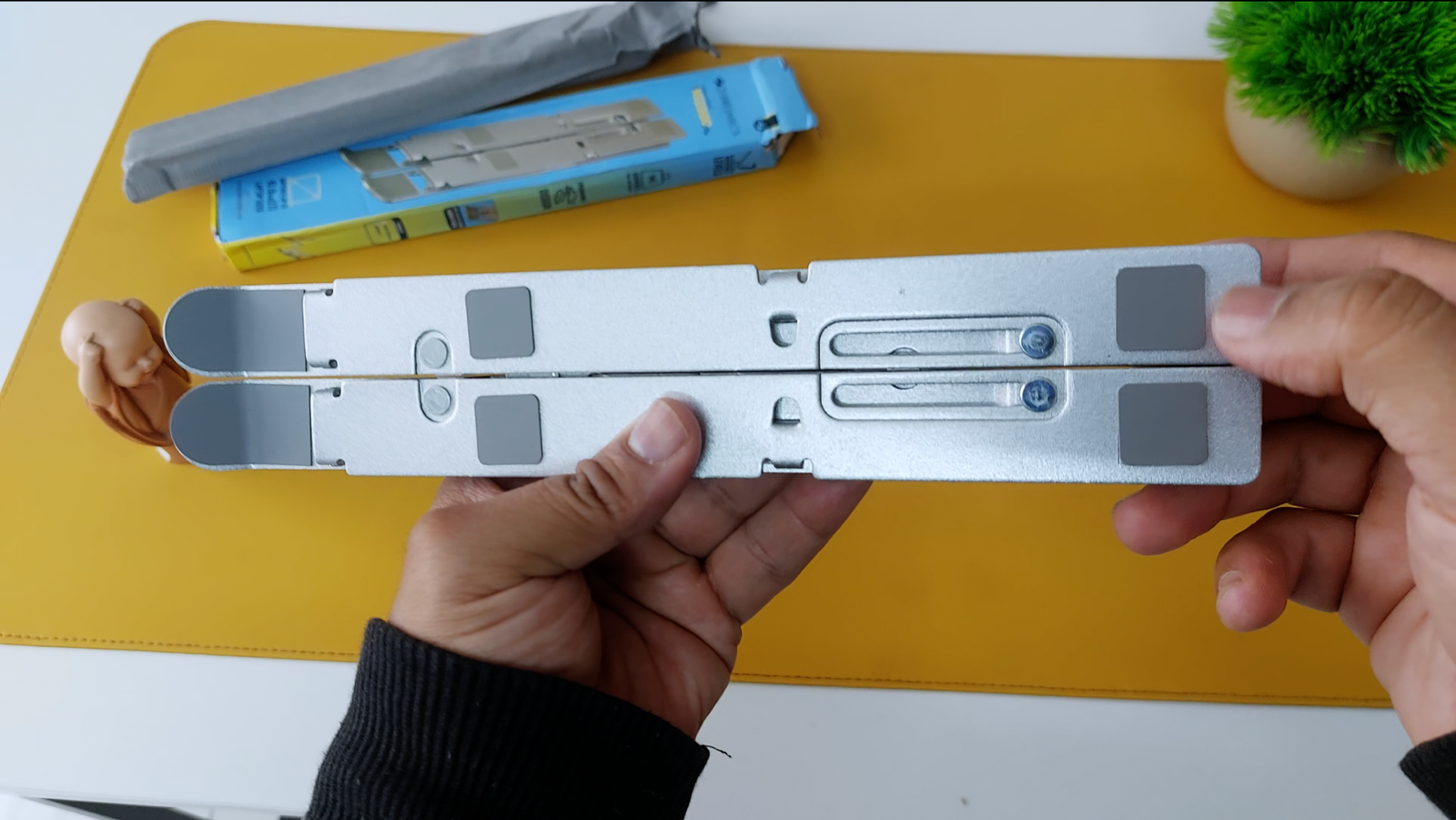
Zebronics NS 2000 Laptop Stand
Product Features
Laptop Compatibility: 13.3″ – 17″ Material: Aluminium Alloy
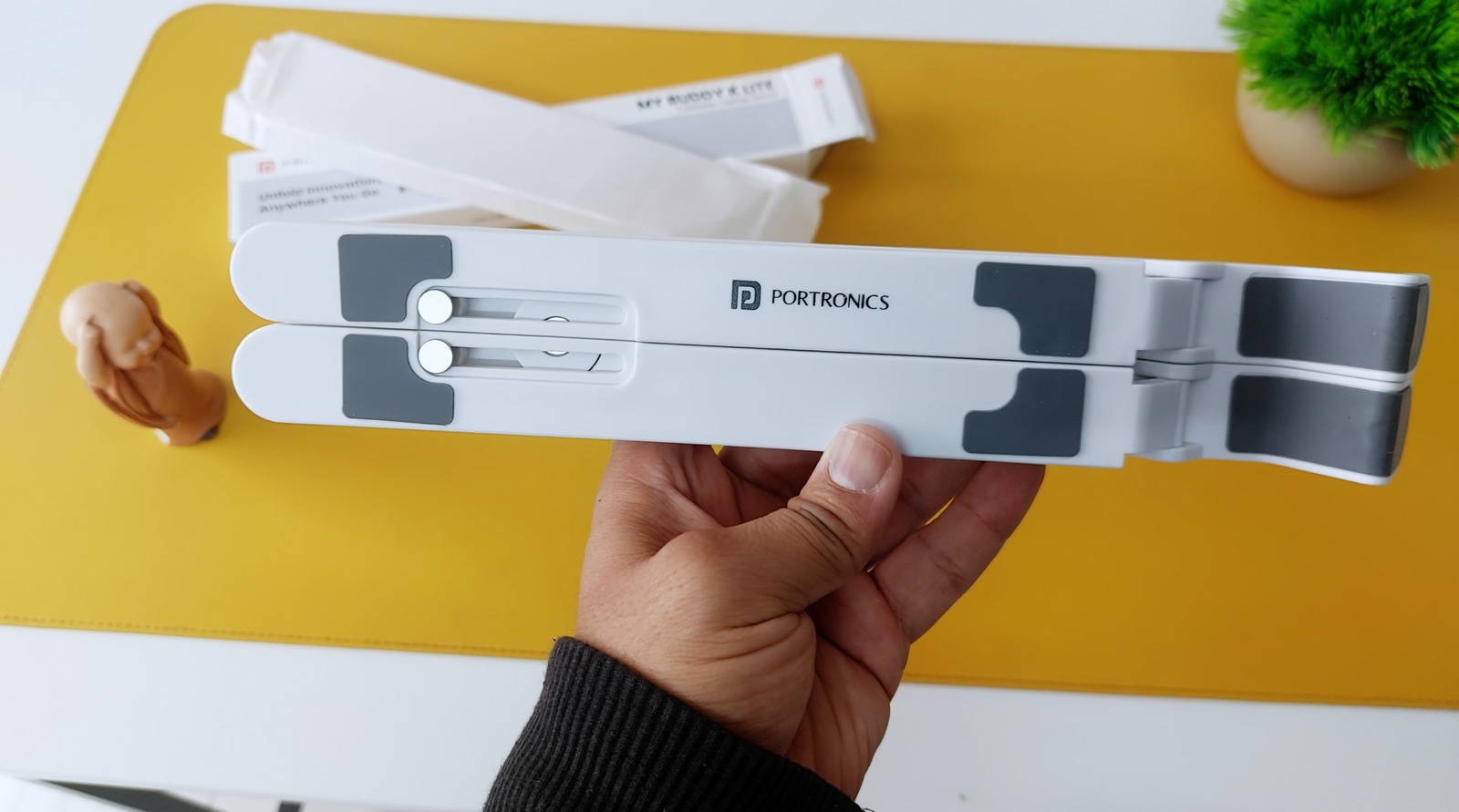
Portronics MyBuddyK Lite
Product Features
Laptop Compatibility: 13.3″ – 17″ Material: ABS Plastic
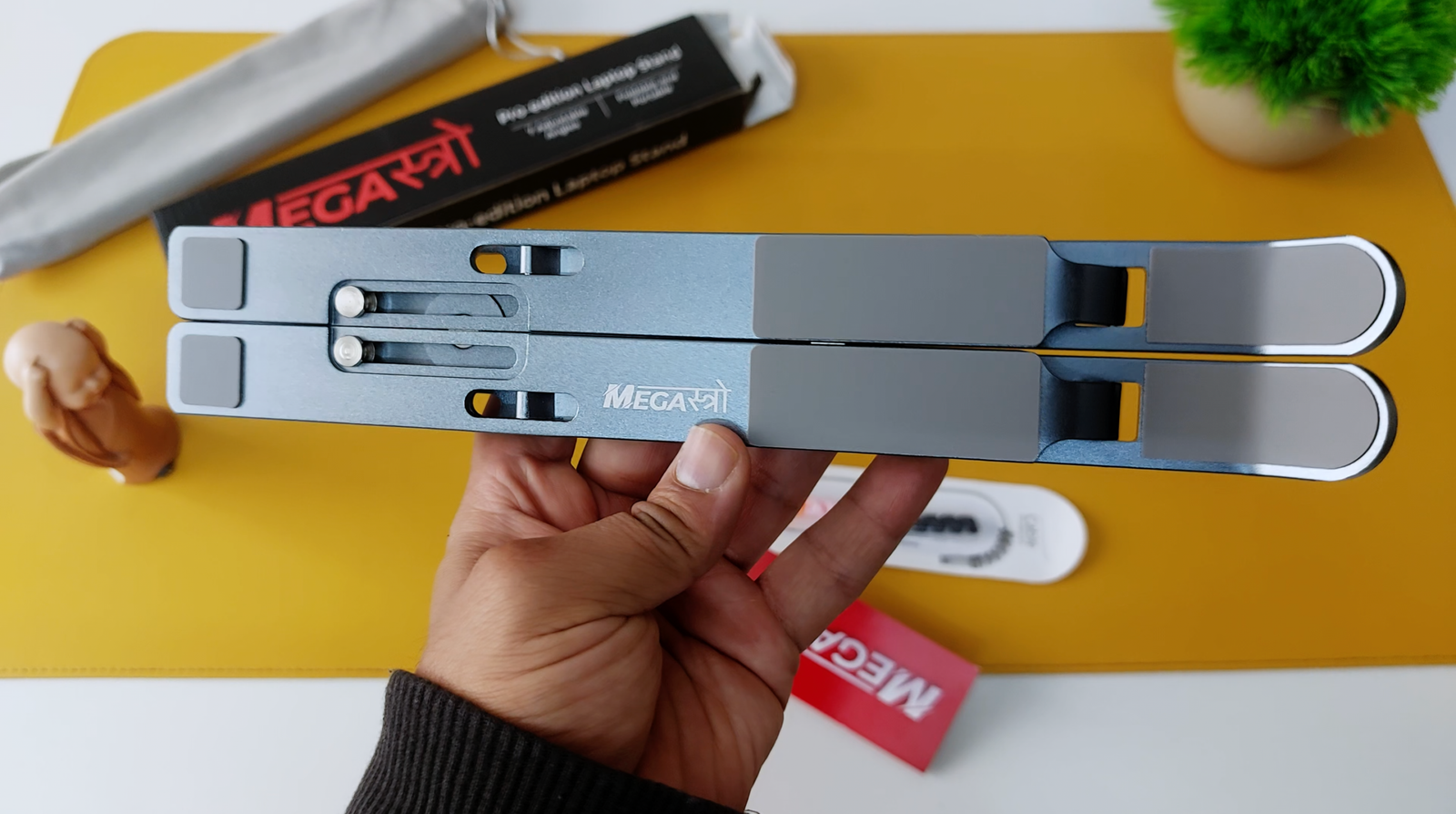
MegaStro Foldable Laptop Stand
Product Features
Laptop Compatibility: 13.3″ – 17″ Material: Aluminium Alloy
I’ve also put together a Google Sheet with the specifications, features, and buying links for all six best foldable laptop stands. This will help you compare them side by side and find the one that best suits your requirements.
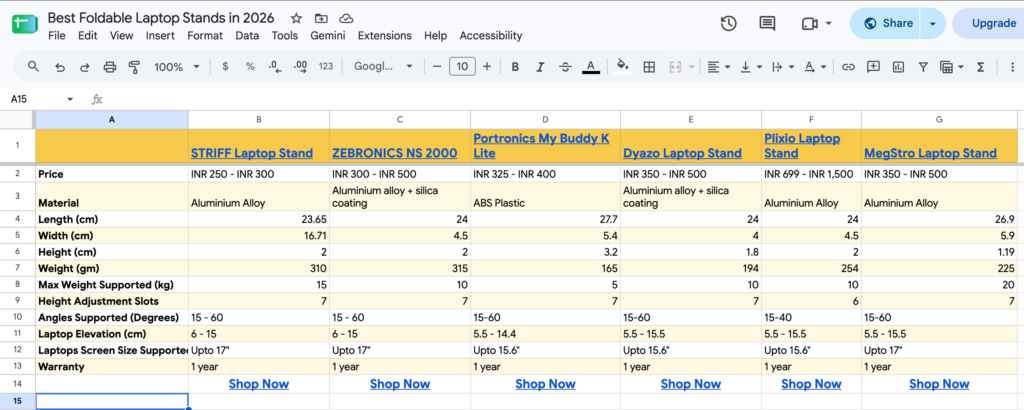
Related article: Best Foldable Laptop Stands Under ₹1,000
Best Laptop Cooling Pads for Gaming and Heavy Workloads
If you’re looking for a cooling pad, here are the options worth checking out.
For Laptops with heat vents at the bottom
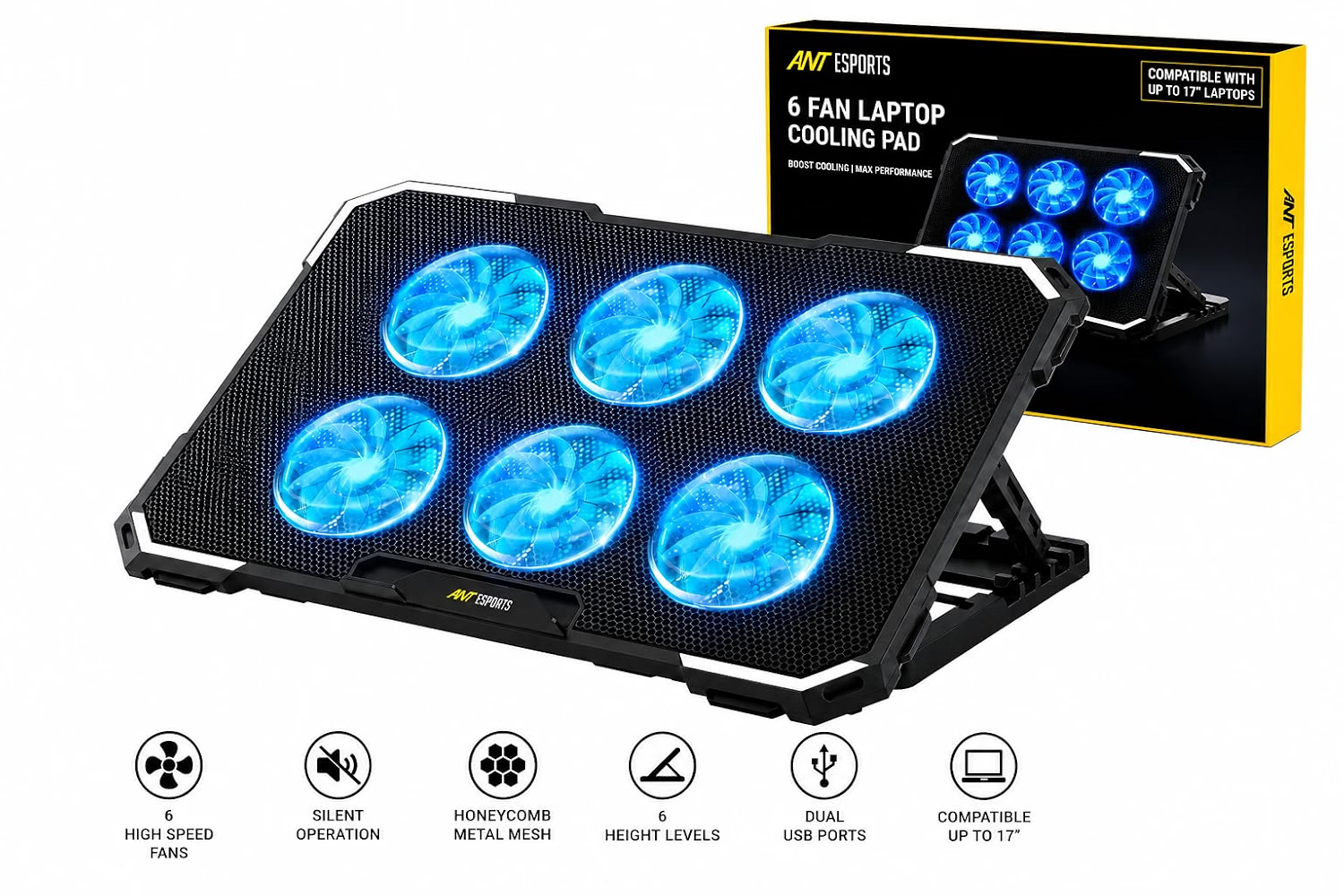
Ant Esports NC230 Gaming Notebook Cooler
Product Features
Laptop Compatibility: 10″ – 17″
RGB, 6 Fans
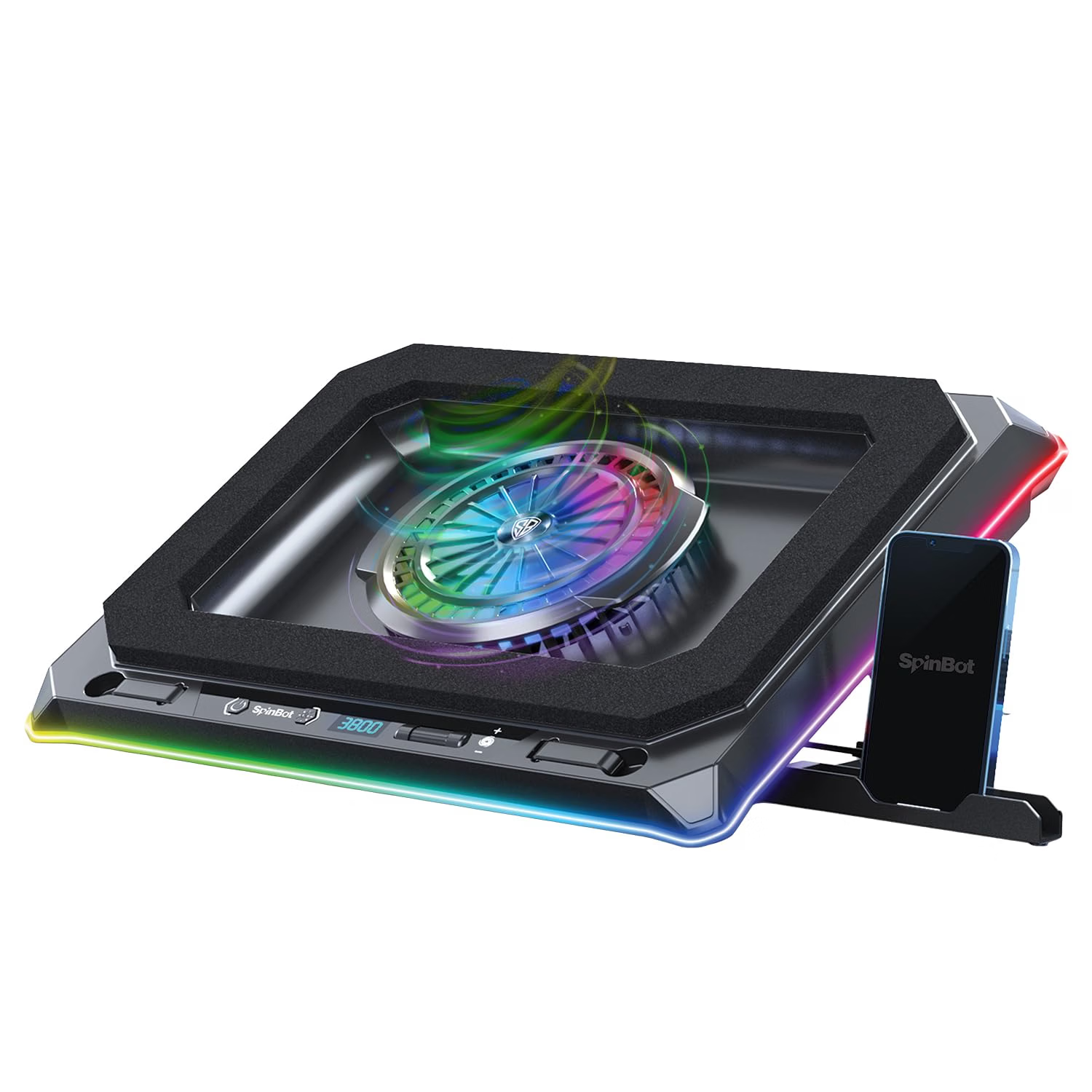
SpinBot Airflow X50 Gaming Laptop Cooling Pad
Product Features
Laptop Compatibility: 13.3″ – 19″
120 CFM Airflow

IETS GT600 Laptop Cooling Pad
Product Features
Laptop Compatibility: 14.1″-19.3″
Dust Filter,Touch Start
Laptop Stand vs Cooling Pad: Which One Should You Buy?
So, which is better: a laptop stand or a cooling pad? After comparing their cooling performance, features and portability, here’s my final recommendation.
Choose a laptop stand if:
- You spend several hours working on your laptop.
- You want better screen positioning and improved ergonomics.
- You need something lightweight and portable.
- Your laptop doesn’t have significant overheating issues.
- You primarily use your laptop for everyday tasks.
Choose a cooling pad if:
- Your laptop regularly gets too hot during demanding workloads.
- You spend several hours gaming or rendering videos.
- Your laptop struggles to maintain temperatures under sustained workloads.
- Its bottom intake vents can benefit from additional airflow.
- You don’t mind the additional fan noise and bulk.
Consider using both if:
- You want better screen positioning and additional cooling.
- You regularly run demanding applications.
- Your cooling pad doesn’t provide the height adjustment or ergonomics you need.
My recommendation: For most people, a regular laptop stand is the better starting point.
It’s cheaper, more portable, doesn’t require power and improves your laptop’s screen positioning. It can also improve airflow by creating additional clearance underneath.
However, if you own a gaming laptop and regularly push its CPU and GPU to their limits, a cooling pad is worth considering, particularly if you’re experiencing thermal throttling.
Just don’t expect a cooling pad to magically fix every overheating problem. Your laptop’s ventilation design, internal cooling system and the cooling pad’s compatibility all matter.
Frequently Asked Questions
Is a laptop stand better than a cooling pad?
It depends on your requirements. A laptop stand is better for ergonomics, portability and everyday work. A cooling pad is better if you need additional airflow to manage temperatures during demanding workloads.
Does a laptop stand reduce laptop temperature?
Yes. A laptop stand creates additional clearance underneath your laptop, allowing its cooling fans to draw air more freely through the intake vents.
However, the actual temperature reduction depends on your laptop’s cooling design and existing ground clearance.
Does a cooling pad actually cool a laptop?
Yes. A cooling pad uses built-in fans to push additional air towards your laptop’s intake vents, potentially reducing CPU and GPU temperatures.
However, the results depend on the cooling pad’s design and how well its fans align with your laptop’s ventilation openings.
Can I use a laptop stand and cooling pad together?
Yes, provided they’re physically compatible and your laptop remains stable.
A cooling pad can provide additional airflow, while a separate laptop stand can offer better screen positioning. However, many cooling pads already have adjustable height positions, so you might not need both.
Is a cooling pad necessary for everyday laptop use?
No. If you primarily browse the internet, attend video calls, edit documents or work with spreadsheets, a cooling pad is generally unnecessary.
A regular laptop stand should be sufficient if you want better screen positioning and additional clearance underneath your laptop.
Which is better for gaming: a laptop stand or cooling pad?
A cooling pad is worth considering if your gaming laptop experiences high temperatures or thermal throttling during extended gaming sessions.
Its built-in fans can provide additional airflow and potentially help maintain CPU and GPU performance.
However, if your gaming laptop already has sufficient ventilation and doesn’t experience thermal throttling, a regular laptop stand may be enough.