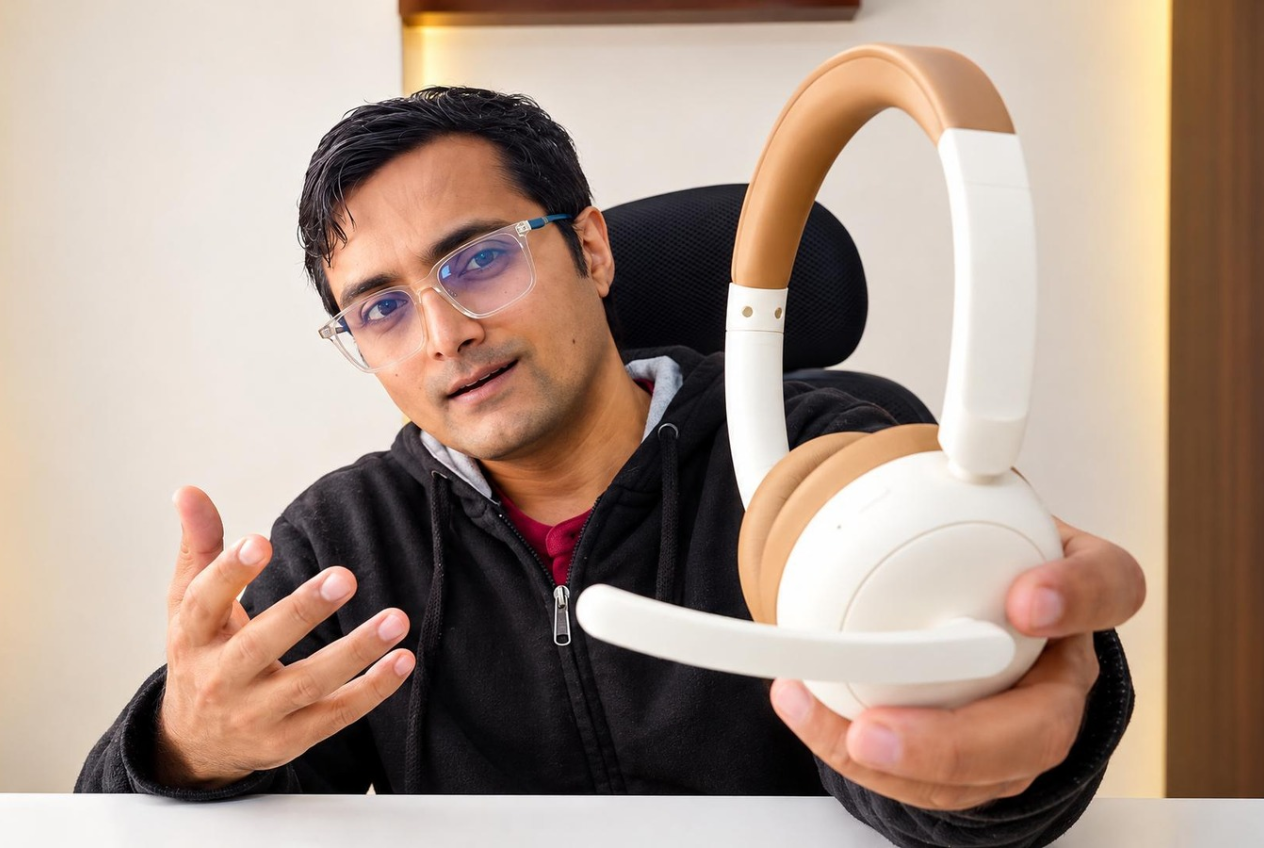
If you’re looking for wireless headphones with a mic for office calls, and your budget is under ₹2,000, the Portronics Muffs A3 is worth considering.
In this Muffs A3 review, I’ll share my actual experience with these headphones after using them on and off for about a month. I bought them for under ₹1,000 and tested their comfort, sound quality, microphone performance, connectivity, and battery life.
Most importantly, I tested the microphone on both my laptop and phone to see how well it handles background noise during calls.
Let’s find out whether the Portronics Muffs A3 is a good wireless headphone for working from home.
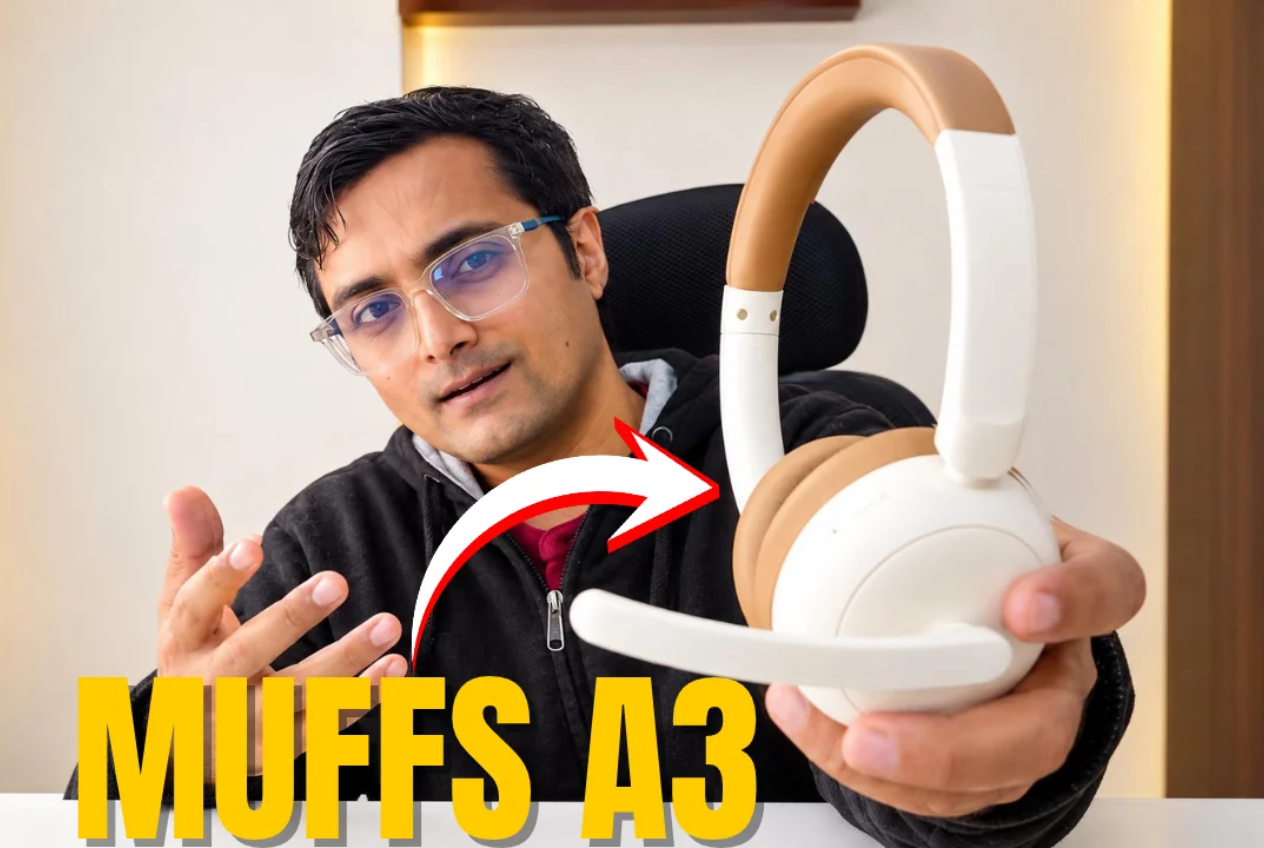
Portronics Muffs A3
Product Features
On Ear Headphone with Inbuilt Flexible Boom Mic & Dual ENC Technology, Upto 50 Hours Playtime, Deep Bass, Bluetooth Version 6.0, 40mm Dynamics Driver, Type C Fast Charging(Beige)
Portronics Muffs A3: What’s in the Box?
The Portronics Muffs A3 comes in simple packaging. Inside the box, you get:
- Portronics Muffs A3 wireless headphones
- USB Type-C charging cable
- One-year warranty card
There’s nothing complicated about the packaging. You get the essentials needed to start using the headphones.
Design and Build Quality
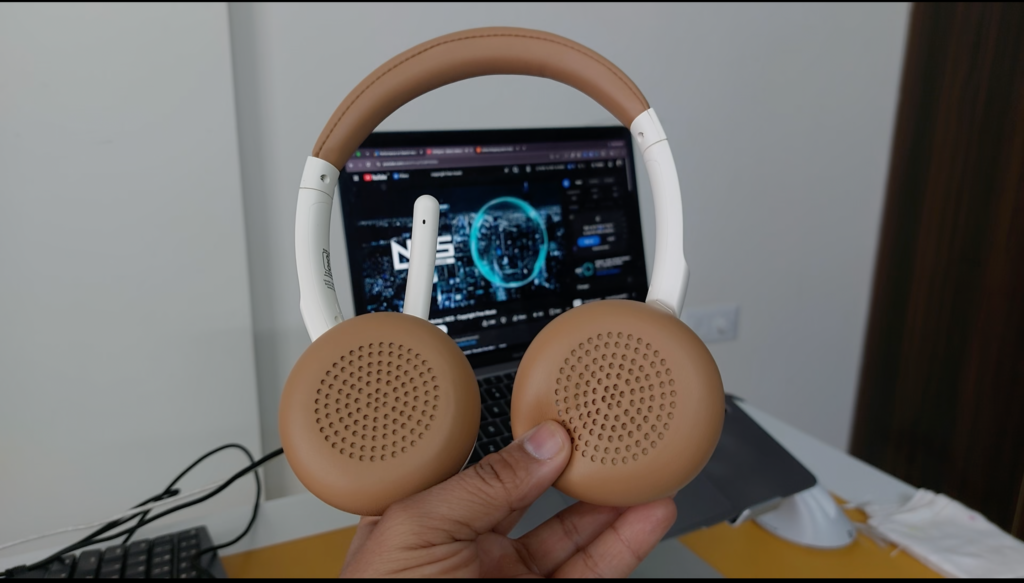
The Portronics Muffs A3 has a simple design with two 40mm drivers, soft ear cushions, and a cushioned, adjustable headband.
The microphone, volume controls, power button, mute button, and charging port are all located on the left earcup.
The material feels comfortable to hold, and the ear cushions are quite soft. The adjustable headband also makes it easy to find a suitable fit.
Overall, the design is straightforward and practical for everyday use.
Comfort and Everyday User Experience
When you first put on the Muffs A3, the earcups hold your ears quite tightly.
For me, it felt like someone had tightly covered my ears with their palm. The earcups block a fair amount of surrounding sound simply through their physical fit.
This can be useful when you’re trying to concentrate on a call or listen to something without too much background distraction.
However, the tight fit has a downside.
After wearing these headphones continuously for a while, my ears started feeling warm and sweaty. For me, around 45 minutes to an hour is when I start wanting to take them off.
Bluetooth Connectivity
The headphone connects to your device via bluetooth 6.0.
Just hold and press the power button for 3 seconds. You’ll hear the “power on” voice and the blue indicator glow.
The device will appear in the bluetooth settings of your laptop. Just press connect.
Portronics Muffs A3 Sound Quality Review
In my testing, the bass sounded good, and watching movies was comfortable.
One thing I noticed was the difference in sound leakage depending on whether I was wearing the headphones.
When I took the headphones off, I could hear the audio quite clearly. But once I put them on, most of the sound went directly into my ears, with only a small amount leaking out.
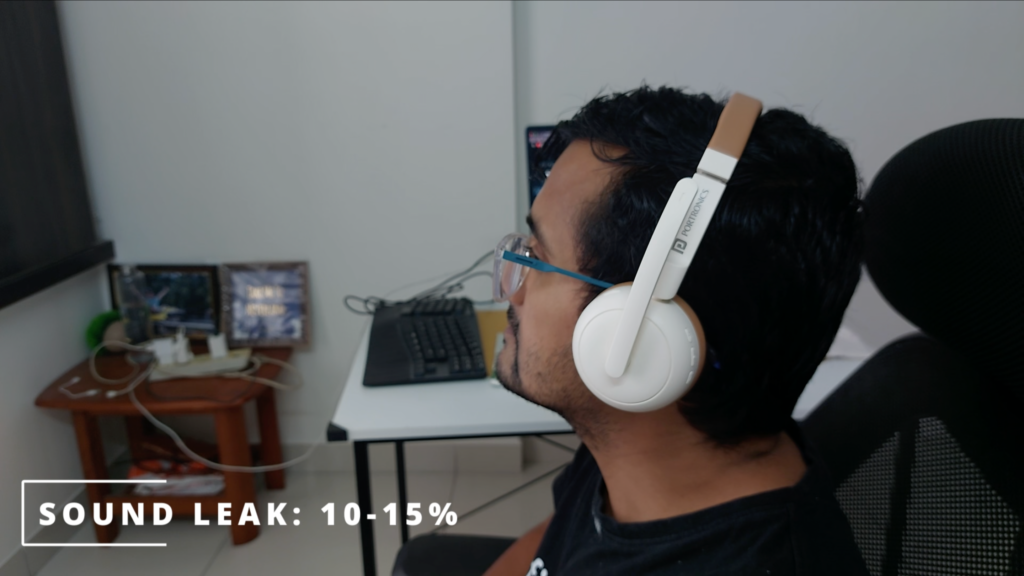
If someone sits next to you, they may hear roughly 10–15% of what you’re listening to, based on my experience.
For everyday listening, including music, movies, and YouTube videos, the sound quality was good enough for me.
However, if you’re buying these headphones primarily for music and expect detailed audio performance, remember that this review focuses on practical everyday use rather than specialised audio testing.
Portronics Muffs A3 Microphone and Noise Cancellation Test
This is the most important part of my Muffs A3 review, especially if you’re looking for a wireless headphone with a mic for office calls.
The Muffs A3 uses ENC, or Environmental Noise Cancellation, for its microphone. This is designed to reduce background noise picked up by the microphone so the person on the other end of a call can hear your voice more clearly.
I tested the microphone in several situations:
- Noise test on my laptop
- Noise test on my phone
- WhatsApp calls
- Regular phone calls
Here’s what I found.
1. Microphone Performance on a Laptop
The microphone performed well during my laptop tests.
Even with fan noise and white noise in the background, the recorded voice quality was good. The microphone handled these conditions reasonably well, making the Muffs A3 a decent option for office calls on a laptop.
If you work from home, attend regular meetings, or spend time on video calls, this is one of the headphone’s main strengths at its price.
2. Microphone Performance on Phone Calls
The results were also acceptable during WhatsApp calls and regular phone calls.
The person on the other end was able to hear my voice clearly, so the headphones worked reasonably well for everyday conversations.
However, the results weren’t the same when I tried recording videos using the headphone’s microphone.
3. Microphone Performance During Phone Video Recording
This was a limitation I encountered during testing.
When I tried recording videos on my phone, neither the phone’s default camera app nor the Open Camera app recognised the microphone from the headphones.
As a result, I couldn’t use the Muffs A3 microphone for those video recordings.
If you want headphones mainly for laptop meetings and regular calls, this might not be a major issue. But if you plan to use them for recording videos on your phone, be aware of this limitation.
My microphone verdict: The Portronics Muffs A3 is a decent budget option for laptop office calls, WhatsApp calls, and regular phone calls. However, its microphone didn’t work for my phone video recording tests.
Can You Use the Portronics Muffs A3 for Workouts?
I also tried using the Muffs A3 during home workouts.
While doing pull-ups, the headphones stayed in place. But during push-ups, they came off quite easily.
The grip isn’t tight enough to keep them completely stable when you’re moving around a lot.
Based on my experience, I wouldn’t recommend these headphones for running or intense workouts. They’re better suited to sitting at your desk, attending calls, or listening to music at home.
Portronics Muffs A3 Battery Life and Charging
Charging the Muffs A3 is straightforward. Connect the USB Type-C cable to the charging port, and the headphones take around two hours to reach a full charge.
Portronics advertises up to 40 hours of battery life.
During my testing, using the headphones for around 1–1.5 hours drained approximately 10% of the battery. Based on that usage, the battery seemed capable of lasting around 1.5–2 days of regular use, depending on how long you use them each day.
There’s one important limitation, though.
When you connect the headphones to the charger, they disconnect from your device. You can use them again after charging is complete.
A Note About the Low-Battery Alert
Another annoyance I noticed was the low-battery warning.
Once the battery drops to around 20%, the headphones repeatedly alert you to charge them, sometimes every 10–20 seconds.
This can become irritating, especially if you’re in the middle of a meeting or trying to concentrate on work.
Portronics Muffs A3 Review: Pros and Cons
After using the headphones for about a month, here’s my summary of the main advantages and disadvantages.
Portronics Muffs A3
Product Features
On Ear Headphone with Inbuilt Flexible Boom Mic & Dual ENC Technology, Upto 50 Hours Playtime, Deep Bass, Bluetooth Version 6.0, 40mm Dynamics Driver, Type C Fast Charging(Beige)
Verdict: Should You Buy Muffs A3 Headphone?
So after using the Muffs A3 for about a month, what’s my overall opinion?
For under 1300 or less this is a decent headphone for normal phone calls or office calls.
The audio is good enough for music, movies and YouTube.
The ear cushions are comfortable for 45 mins to 1 hour.
So, if you work from home, attend regular office calls, want something for your laptop, and don’t want to spend ₹2,000 or ₹3,000 on a wireless headset, I think the Muffs A3 is worth considering — especially if you can get it around the ₹1,000 mark.
If this sounds like your use case, you can check the current price and availability using the product link below.
Portronics Muffs A3
Product Features
On Ear Headphone with Inbuilt Flexible Boom Mic & Dual ENC Technology, Upto 50 Hours Playtime, Deep Bass, Bluetooth Version 6.0, 40mm Dynamics Driver, Type C Fast Charging(Beige)
That’s my Muffs A3 review. If you’ve used these headphones or have questions about them, let me know in the comments.
And if you’re looking for more work-from-home gear, I’ve reviewed laptop stands, office chairs, wireless keyboards, mice, and other useful tech accessories on VaishakTalks.
Thanks for reading, and I’ll see you in the next review.