

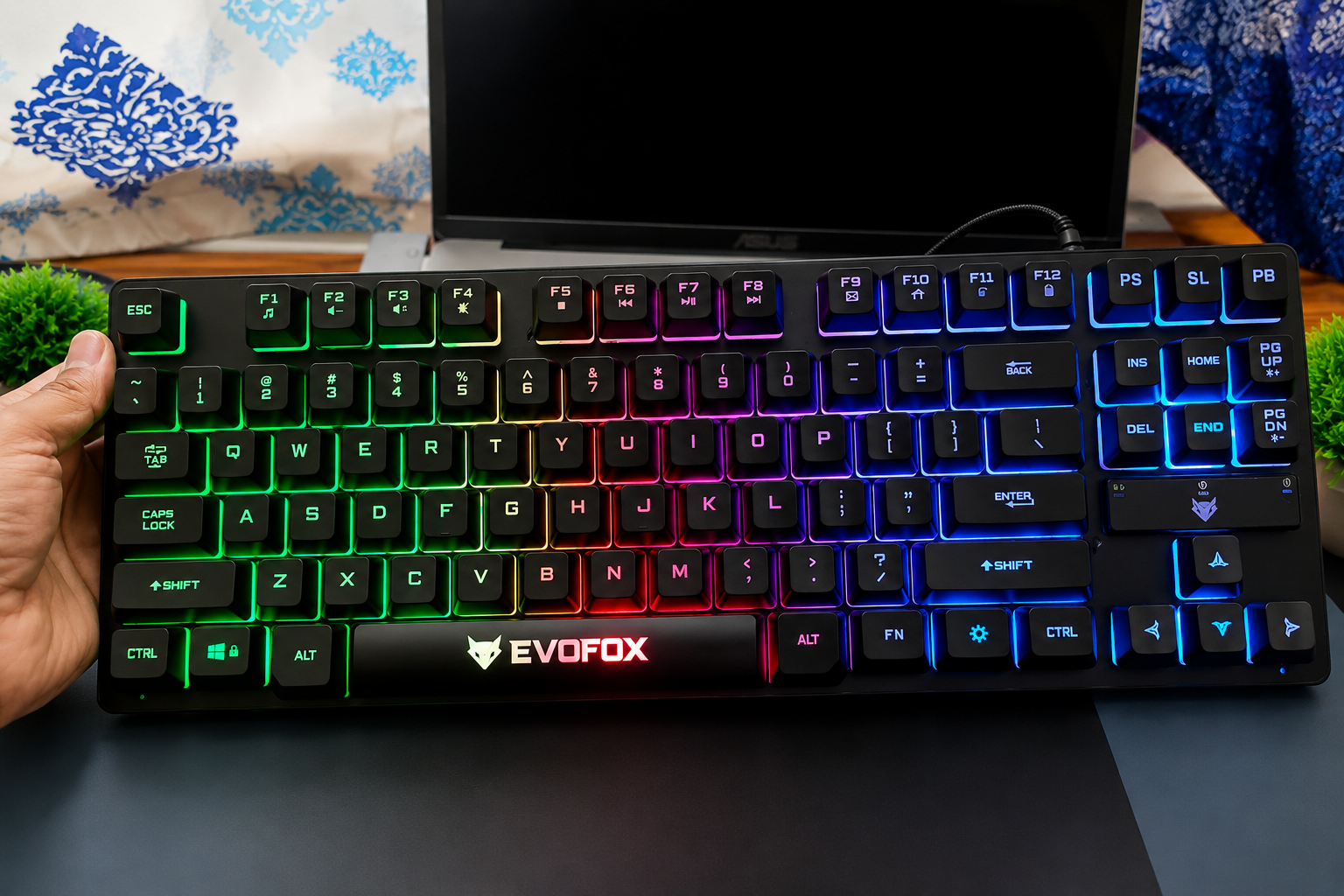
If you’re looking for a gaming keyboard under ₹1,000, chances are you’ve come across the EvoFox Fireblade.
It’s compact, has backlighting, looks like a gaming keyboard, and usually sells for around ₹700–₹1,000.

But, is it actually any good?
I bought the EvoFox Fireblade and tested it for typing and everyday use.
In this EvoFox Fireblade keyboard review, I’ll show you what I liked, what I didn’t, and whether I think it’s worth buying.
Quick verdict: Yes. If your budget is around ₹1,000, I strongly recommend the EvoFox Fireblade. You get a compact TKL design, surprisingly good typing experience, backlighting and decent gaming performance for the price. Just don’t buy it expecting a true mechanical keyboard.
EvoFox Fireblade Specifications
Before we get into my experience, here’s a quick look at what you get.
| Specification | EvoFox Fireblade |
|---|---|
| Keyboard type | Wired membrane / semi-mechanical style |
| Layout | TKL (Tenkeyless) |
| Number of keys | 87 |
| Backlighting | Rainbow LED backlighting |
| Lighting effect | Breathing effect |
| Anti-ghosting | 19 keys |
| Multimedia functions | 12 |
| Connection | USB |
| Cable | 1.5m braided cable |
| Windows lock | Yes |
| Rated lifespan | 10 million keystrokes |
| Warranty | 1 year |
Why buy the Evofox Fireblade Keyboard in 2026?
The biggest attraction here is obviously the price.
At the time of writing, the Fireblade is selling for around ₹899 on Amazon website, putting it firmly in the budget gaming keyboard category.
But specs don’t tell you whether a keyboard is actually nice to use.
So let’s start with the most confusing part of the Fireblade keyboard.
The Semi Mechanical Keyboard
The Evofox Fireblade is marketed as a semi mechanical gaming keyboard.
That can be misleading if you’re buying your first gaming keyboard.
A true mechanical keyboard has an individual mechanical switch underneath every key. The Fireblade doesn’t.
This is a membrane keyboard.
What EvoFox has done is use floating keycaps and a design that gives the keyboard some of the appearance and tactile feel people associate with mechanical keyboards.
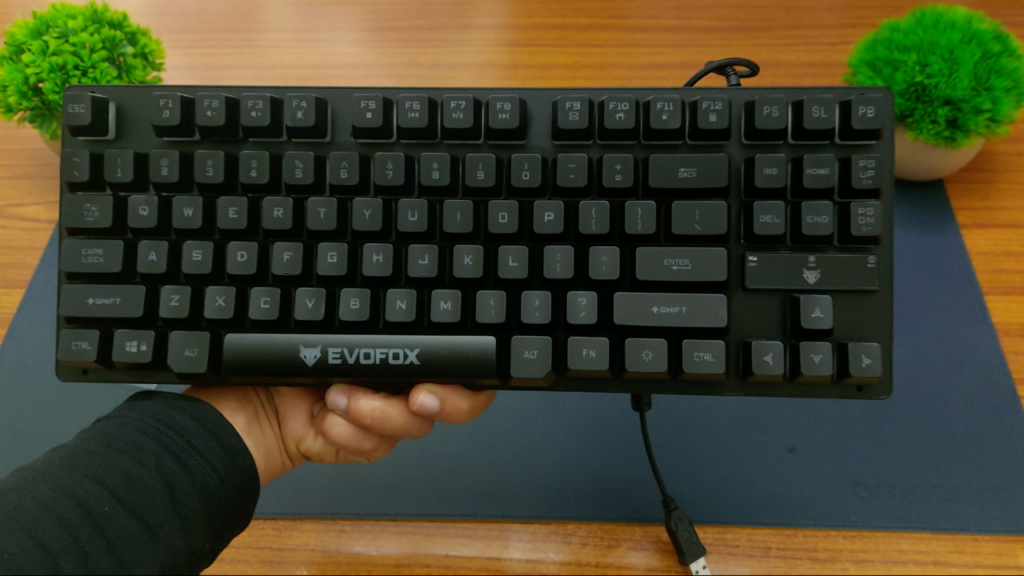
You get more travel and feedback than you might expect from a basic office keyboard.
But you’re not getting mechanical switches.
Personally, I don’t think that’s necessarily a problem.
At around ₹1,000, what matters more to me is whether the keyboard actually feels good to type and game on.
And surprisingly, it does.
Evofox Fireblade Keyboard – Design and Build Quality
The first thing I like about the EvoFox Fireblade is its size.
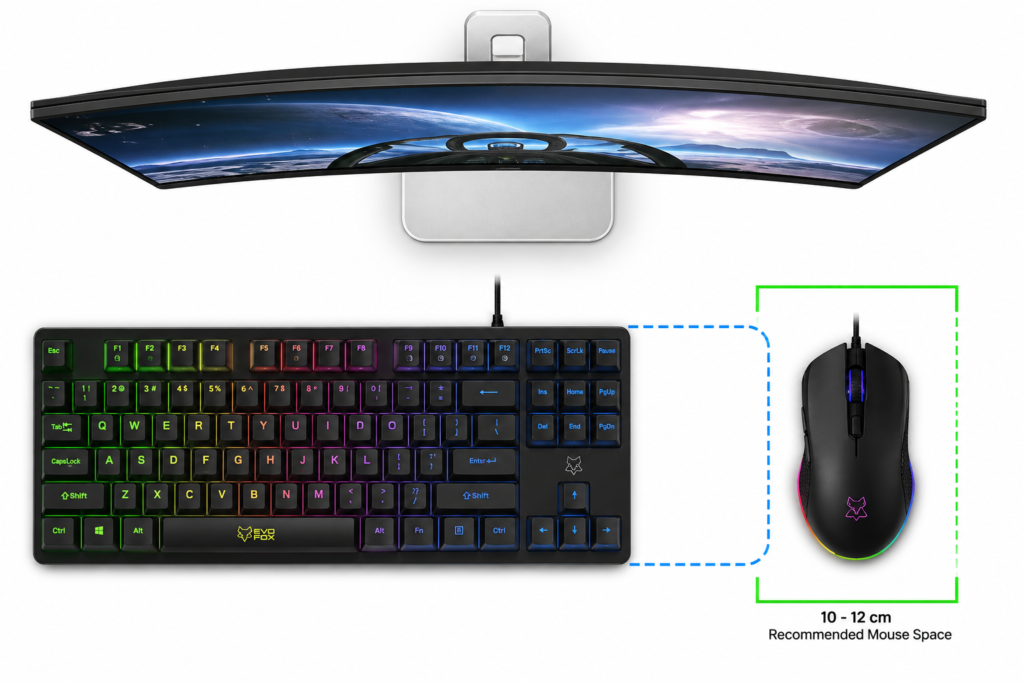
It’s a TKL or Tenkeyless keyboard, which means EvoFox has removed the dedicated number pad normally found on a full-size keyboard.
And I actually prefer this design.
You still get the keys most people use every day, but the keyboard takes up considerably less space on your desk.
That leaves more room for your mouse, which is particularly useful if you game with lower mouse sensitivity or simply have a small desk.
Read More: Best Budget Bluetooth Rechargeable Mouse – Portronics Toad One Review
Despite being a budget keyboard, it doesn’t feel extremely light or flimsy either.
The floating keycap design also gives it a much more gaming-oriented look than a normal membrane keyboard.
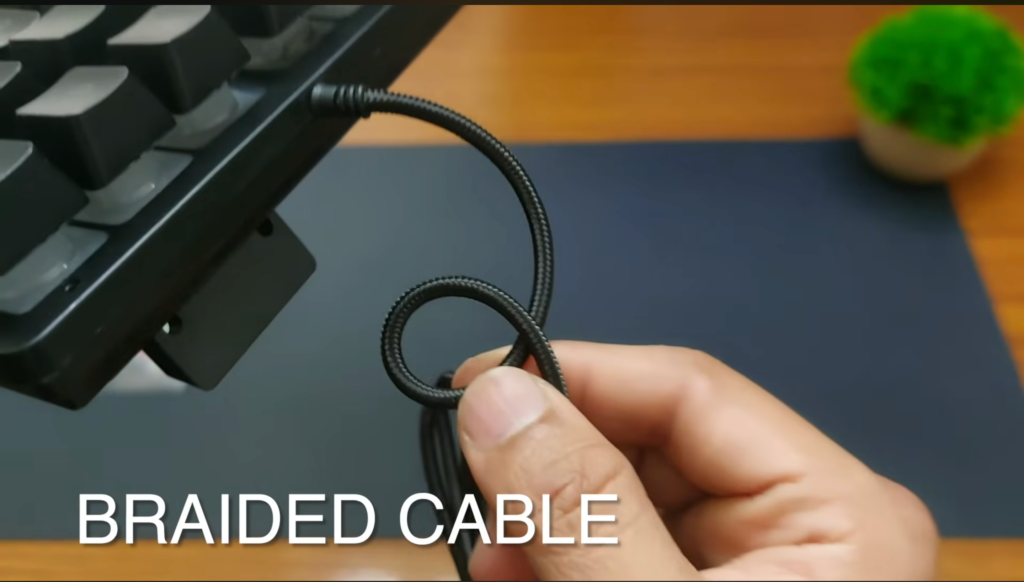
You also get a 1.5-metre braided cable, which is a nice addition at this price.
Is the build comparable to a ₹3,000 or ₹5,000 mechanical keyboard?
Obviously not.
It’s still a budget keyboard and there is plenty of plastic here.
But considering what you’re paying, I don’t have much to complain about.
What Is Typing on the EvoFox Fireblade Like?
This was probably the biggest surprise for me.
The keys have a nice amount of travel and feedback when you press them.
They’re not going to feel like proper mechanical switches, but they don’t have the extremely soft or mushy feeling you get from some cheap membrane keyboards either.
That makes the Fireblade quite comfortable for normal typing.
So if you’re buying one keyboard for:
- gaming
- writing
- college work
- browsing
- general computer use
I think the Fireblade works surprisingly well.
EvoFox Fireblade Keyboard – Anti Ghosting
EvoFox also advertises 19 anti-ghosting keys.
Anti-ghosting basically means the keyboard can correctly register certain combinations of keys when you press multiple keys simultaneously.
That’s important in games where you might be holding something like W to move forward while simultaneously pressing Shift and another key.
However, this is not full-key anti-ghosting.
During my testing, I did notice ghosting with certain key combinations. For example the letter “p”, the square bracket keys where ghosted.
For casual gaming, I don’t think it’s a deal breaker.
But if you’re playing competitive games seriously and want every possible key combination to register perfectly, I’d recommend spending more on a proper mechanical keyboard with better key rollover.
RGB and Backlighting
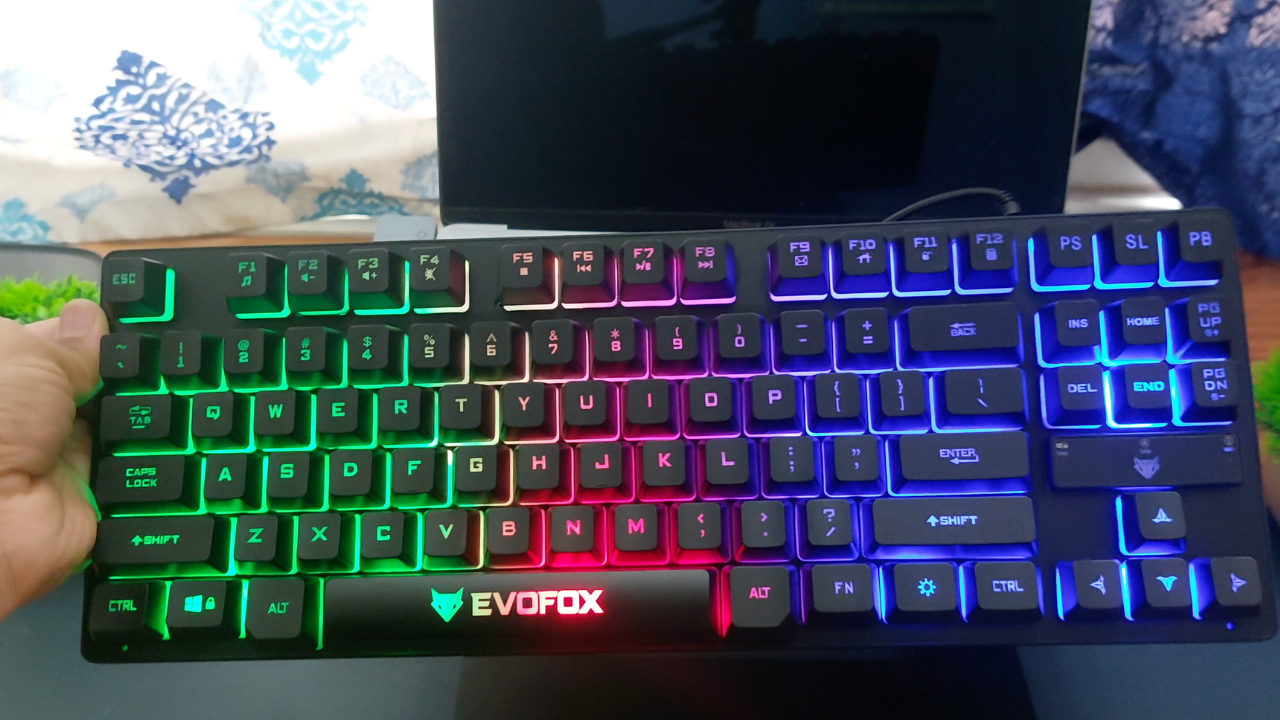
Once you plug the EvoFox Fireblade into your laptop using the USB cable, the RGB lights automatically turn on at full brightness.
You get multiple colours across the keyboard, but the colours are fixed and cannot be changed.
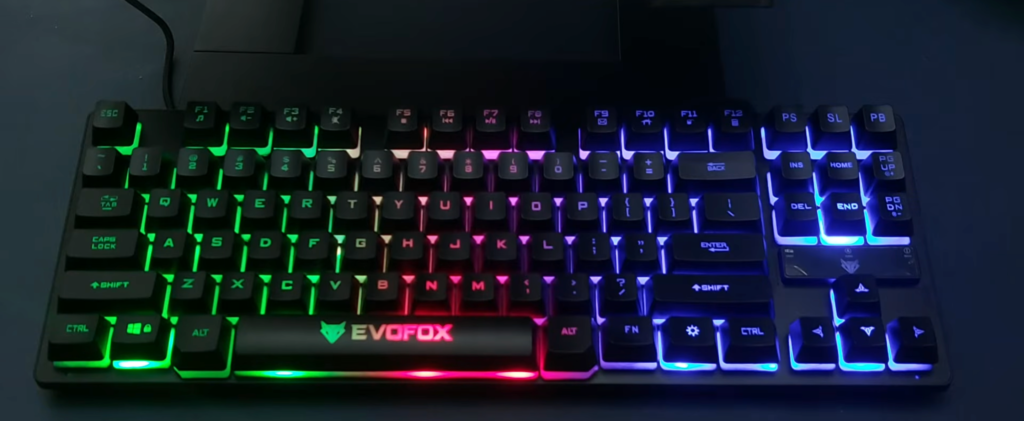
There are three brightness levels. You can reduce the brightness using Fn + Page Down and increase it using Fn + Page Up. Pressing Page Down twice turns the lights off completely, while pressing Page Up three times takes them back to full brightness.
There’s also a dedicated brightness button that lets you quickly turn the RGB lights on or off.
The Fireblade also has a breathing effect, where the lights gradually fade in and out. To activate it, press Fn + the brightness key. Press the brightness button again to stop the effect.
Overall, the RGB is pretty basic. You can control the brightness and use the breathing effect, but you can’t change the colours or customize individual keys. For a keyboard in this price range, though, I think it looks pretty good.
Multimedia Controls
You also get 12 multimedia functions using the Fn key.
These give you shortcuts for common controls such as media and volume without having to leave whatever you’re doing.
They’re not something I’d buy the keyboard specifically for, but they’re useful to have.
There’s also a Windows lock function, which is more useful for gaming.
We’ve probably all accidentally hit the Windows key during a game at least once.
Windows Lock prevents that from kicking you back to your desktop at exactly the wrong moment.
What I Like About the EvoFox Fireblade Keyboard
For me, the strongest part of this keyboard is simply how much you’re getting for the money.
The compact TKL design is genuinely useful, especially if you have a smaller desk.
Typing feels better than I expected from a budget membrane keyboard.
You get decent backlighting.
The braided cable is another nice touch.
And most importantly, it works well enough for casual gaming without forcing you to spend ₹2,000–₹4,000 on your first gaming keyboard.
I also think the membrane design will actually suit some people better than cheap mechanical keyboards.
If you don’t like loud clicky switches and want one keyboard for both gaming and everyday work, the Fireblade makes a lot of sense.
What I Don’t Like
There are still a few compromises.
First, this isn’t actually a mechanical keyboard.
If that’s specifically what you’re looking for, don’t buy the Fireblade just because of the “semi-mechanical” description.
Second, the backlighting is fairly basic. It looks nice, but customization is limited.
Third, while EvoFox advertises 19 anti-ghosting keys, I was able to find some combinations where ghosting occurred during my testing.
And finally, the construction still feels like what it is: a budget keyboard.
None of these surprised me considering the price.
But you should know about them before buying.
EvoFox Fireblade Pros and Cons
So, Should You Buy the EvoFox Fireblade?
For around ₹1,000?
Yes. I strongly recommend it.
The Fireblade gets the fundamentals right.
It feels good to type on, performs well enough for casual gaming, looks good on a desk and its TKL design gives you more room for your mouse.
If you’re specifically looking for mechanical switches, save a little more and buy a proper mechanical keyboard.
But if your budget is strictly around ₹1,000 and you want a good gaming keyboard without a mouse combo, the EvoFox Fireblade is one of the keyboards I’d recommend looking at.
Evofox Fireblade TKL Semi MechanicalKeyboard
More Work From Home Guides
If you found this guide helpful, you might also like these articles:
- Best Laptop Stand for Work From Home
- Best Wireless Mouse
- Best Laptop Sleeve
- Best Tech Organizer Pouch
For detailed product reviews, comparisons, and work-from-home setup tips, check out my YouTube channel, VaishakTalks.
EvoFox Fireblade Keyboard FAQs
Is the EvoFox Fireblade Good for Gaming?
Yes, especially if you’re looking for a gaming keyboard under ₹1,000.
Games like GTA V, Minecraft, Roblox and most casual PC games shouldn’t be a problem.
For competitive FPS or esports gaming, however, I’d move up to a proper mechanical keyboard with full anti-ghosting/N-key rollover and better switches.
Is the EvoFox Fireblade Good for Typing?
Yes.
In fact, I think this is one of the reasons the Fireblade makes sense even if you aren’t a serious gamer.
The keys have enough travel and feedback to make typing enjoyable without producing the loud click you get from many entry-level mechanical keyboards.
If you spend your day typing documents, studying or working and then game in the evening, this is a good middle ground.
Is the EvoFox keyboard good?
Yes, EvoFox makes several good budget gaming peripherals, but it depends on the specific product. In the case of the Fireblade, I think it offers very good value if you’re looking for a gaming keyboard around ₹1,000.
Don’t assume every EvoFox keyboard is the same, though. EvoFox sells everything from inexpensive membrane keyboards like the Fireblade to proper mechanical keyboards.
Is EvoFox an Indian brand?
Yes. EvoFox is a gaming-focused brand from Amkette, an Indian consumer electronics company.
Which company owns EvoFox?
EvoFox is a brand from Amkette, an Indian consumer electronics company. EvoFox focuses primarily on gaming products such as keyboards, mice, controllers and gaming accessories.
What is the polling rate of the EvoFox Fireblade?
The Evofox Fireblade comes with a polling rate of 1000 hz.
Is 125Hz better than a 1000Hz keyboard?
No. In terms of input reporting frequency, 1000Hz is faster.
A 125Hz polling rate means the keyboard can report to the computer roughly every 8 milliseconds, while 1000Hz reduces that interval to roughly 1 millisecond.
Are EvoFox keyboards hot-swappable?
Some are, but the EvoFox Fireblade isn’t a hot-swappable mechanical keyboard because it doesn’t use replaceable mechanical switches.
EvoFox does sell mechanical keyboards with swappable switches. So check the specifications of the individual model rather than assuming all EvoFox keyboards are hot-swappable.